
To begin planning for the new spring season with ToGrowLog you want to start adding some plants! Once logged in visit the “Planner” where you’ll see “My Plant Directory”, see the image below, the click “Add Plant”…
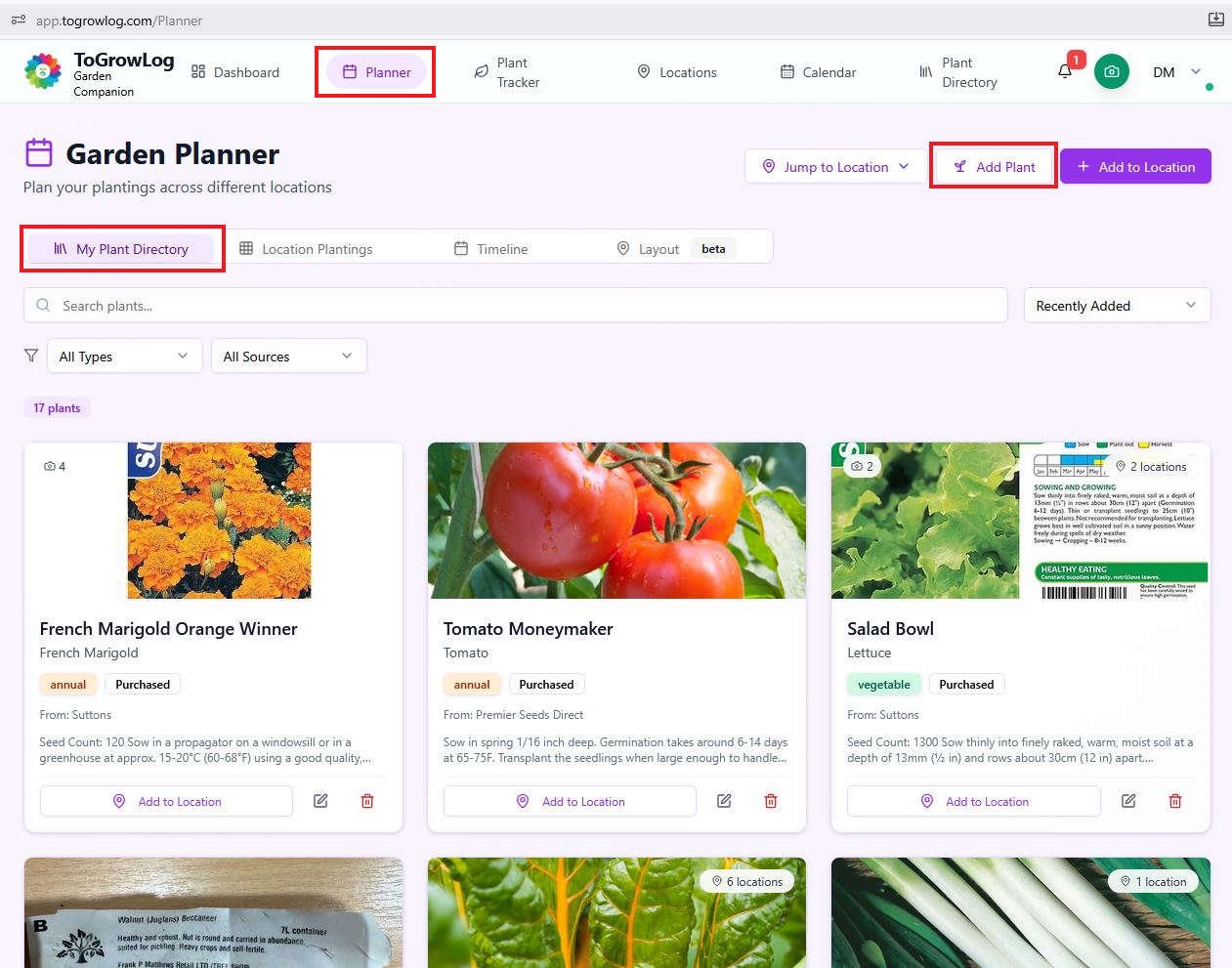
Adding your plant details
Once you click the Add Plant button you’ll be presented with a form. No you can fill out the form manually, or you can try the quick route!
I’f you’ve purchased a packet of seeds take a picture of the front and back of the seed packet, or if your on a seed companies website such as Mr Fothergill’s there are images of the front and back of the packet which you can save.
At the top of the form there is a purple box called “AI Seed PAcket Scanner, if you click the “Scan Seed Packet” button you’ll be able to upload the images you have saved of the of the seed packet, the AI can then read the details of the packet and filll out the vast majority of the form for you! Amazing 🙂
Click on the images below to see all the steps in the process. If your doing this on your phone you’ll find it really quick and easy to add all you seeds!
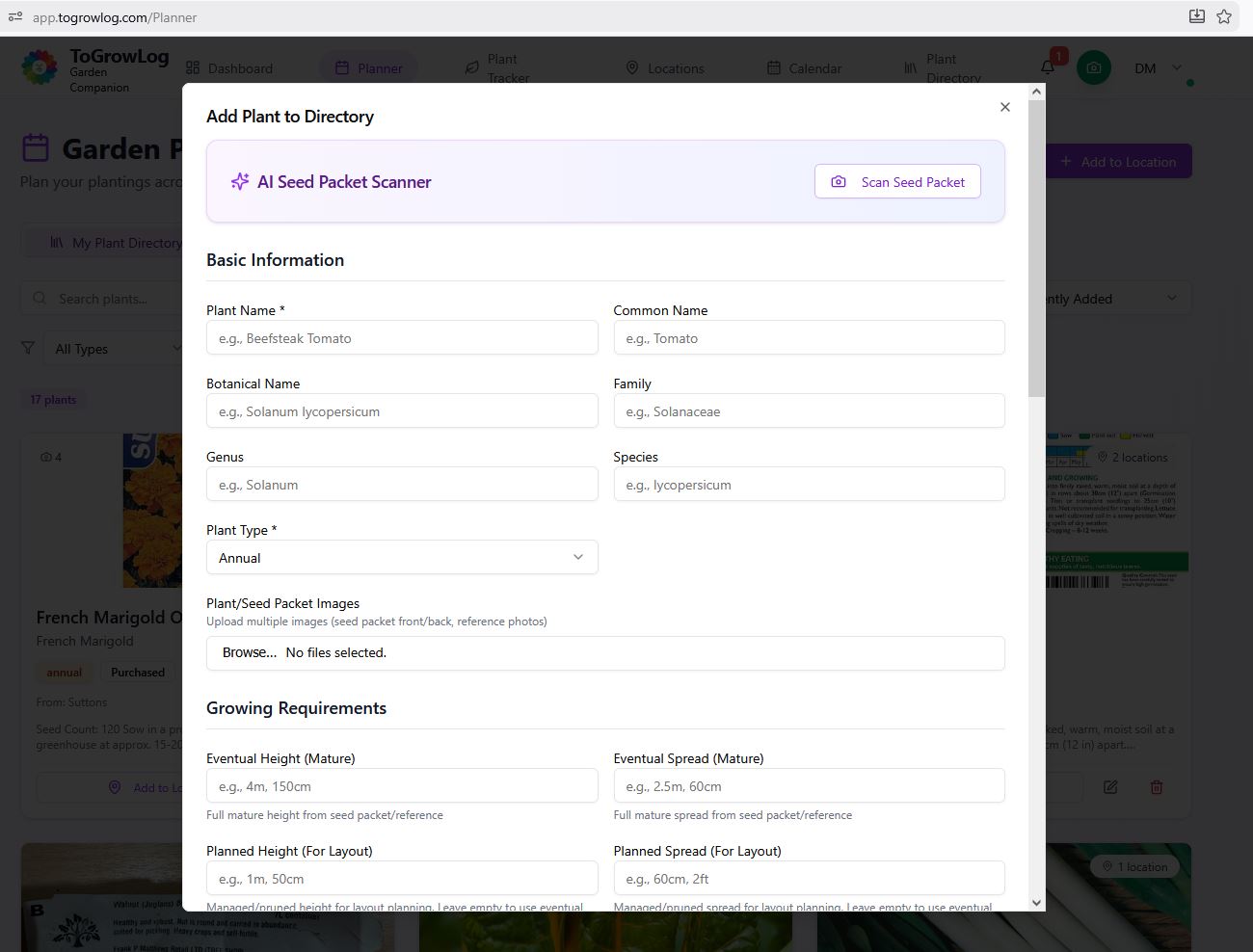
Add plant form
Click the Add Plant button and this form appears.
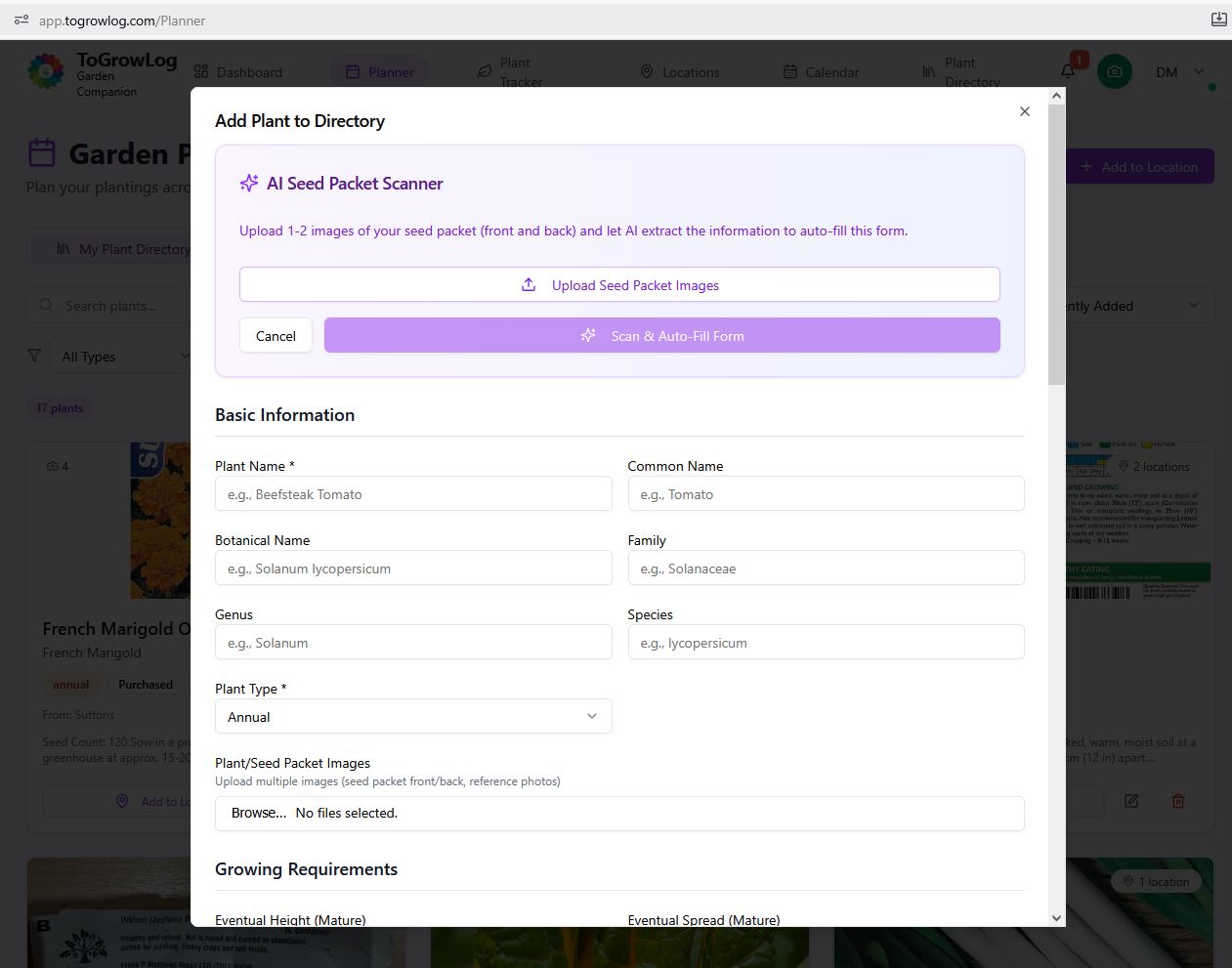
Scan Seed Packet
The quick way to complete the form is with the Scan Seed Packet.
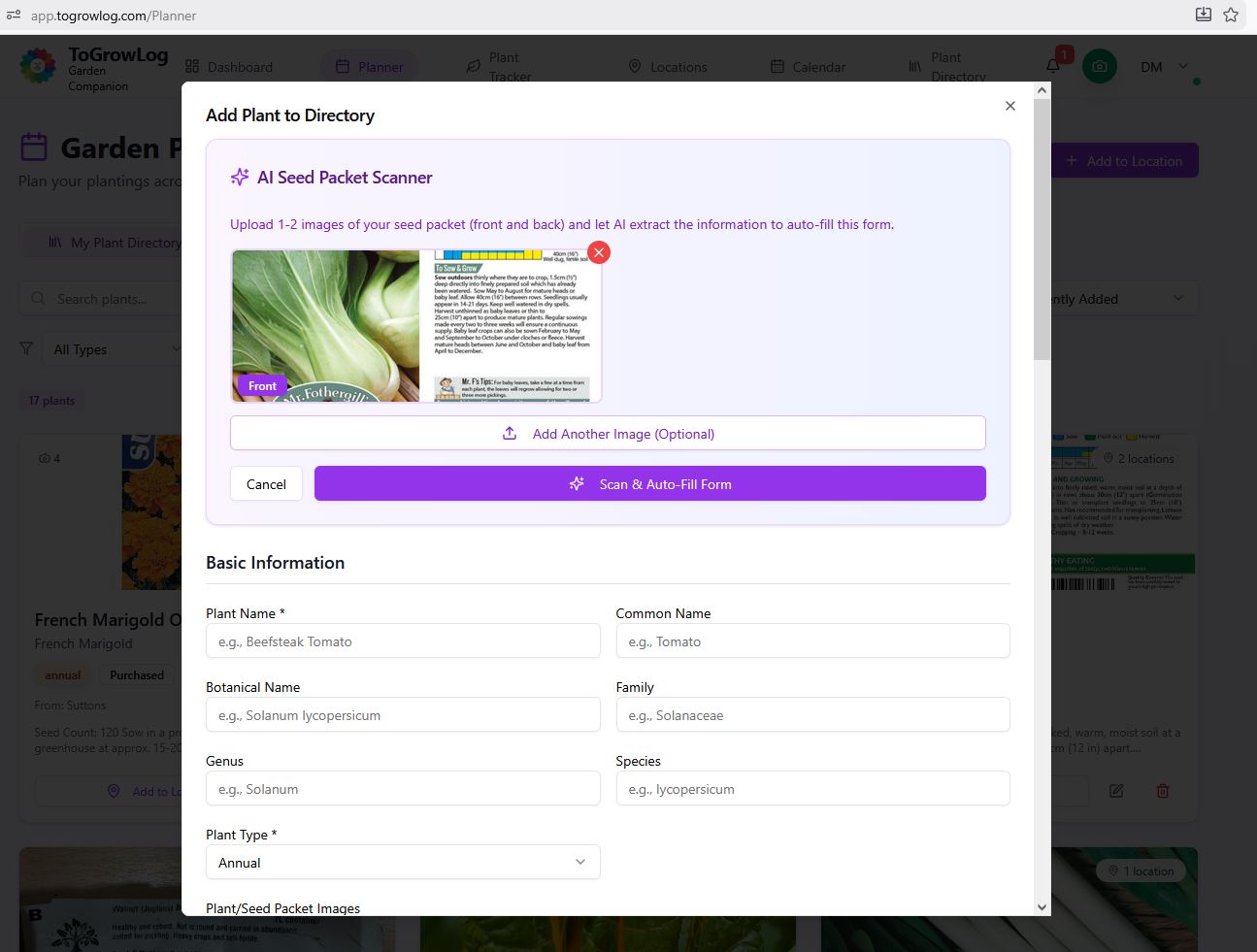
Add your images
Add your images, up to two, normally front and back of seed packet.
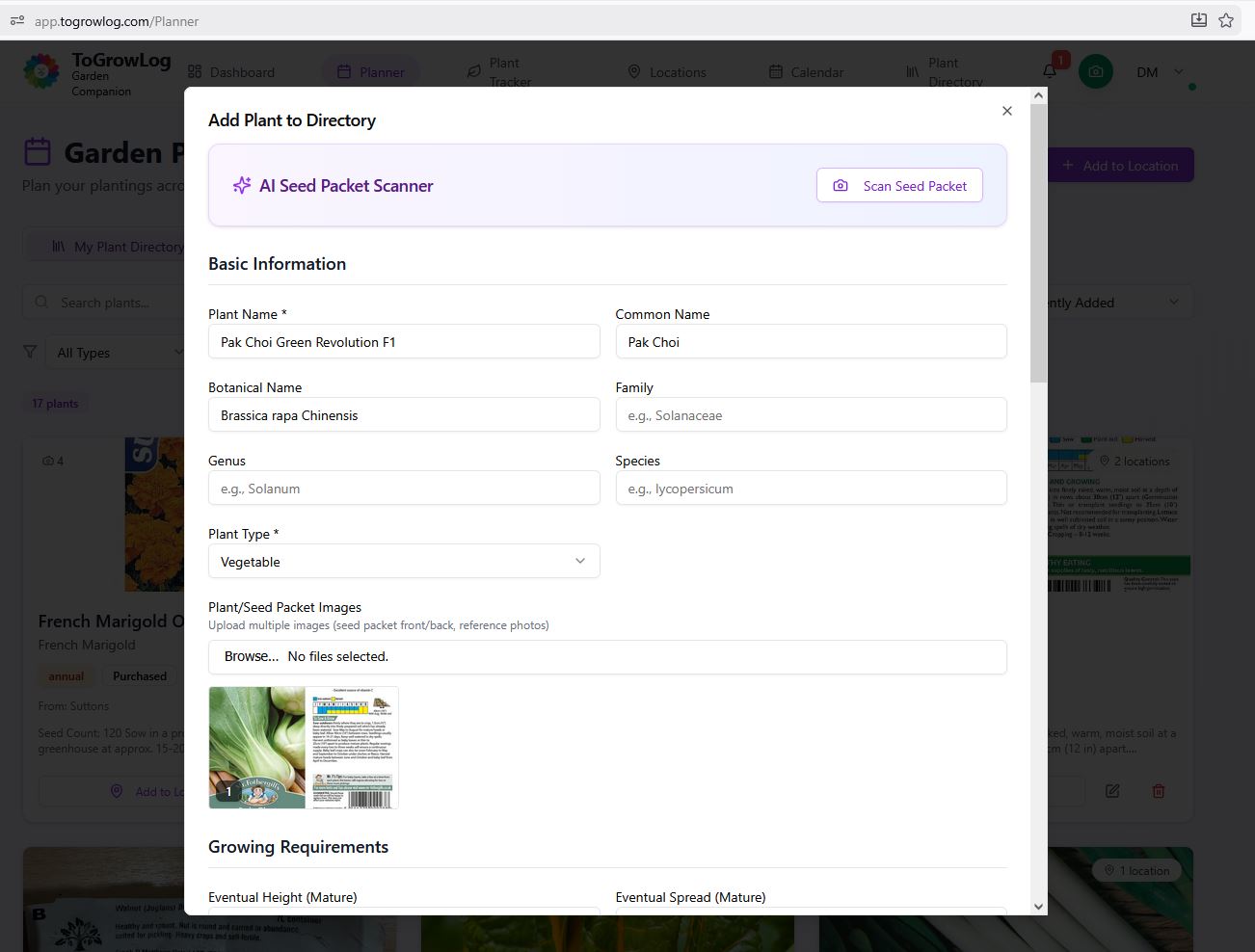
Auto-Filled Form
Once you click the scan button the AI will think and then complete as much of the form as it can.
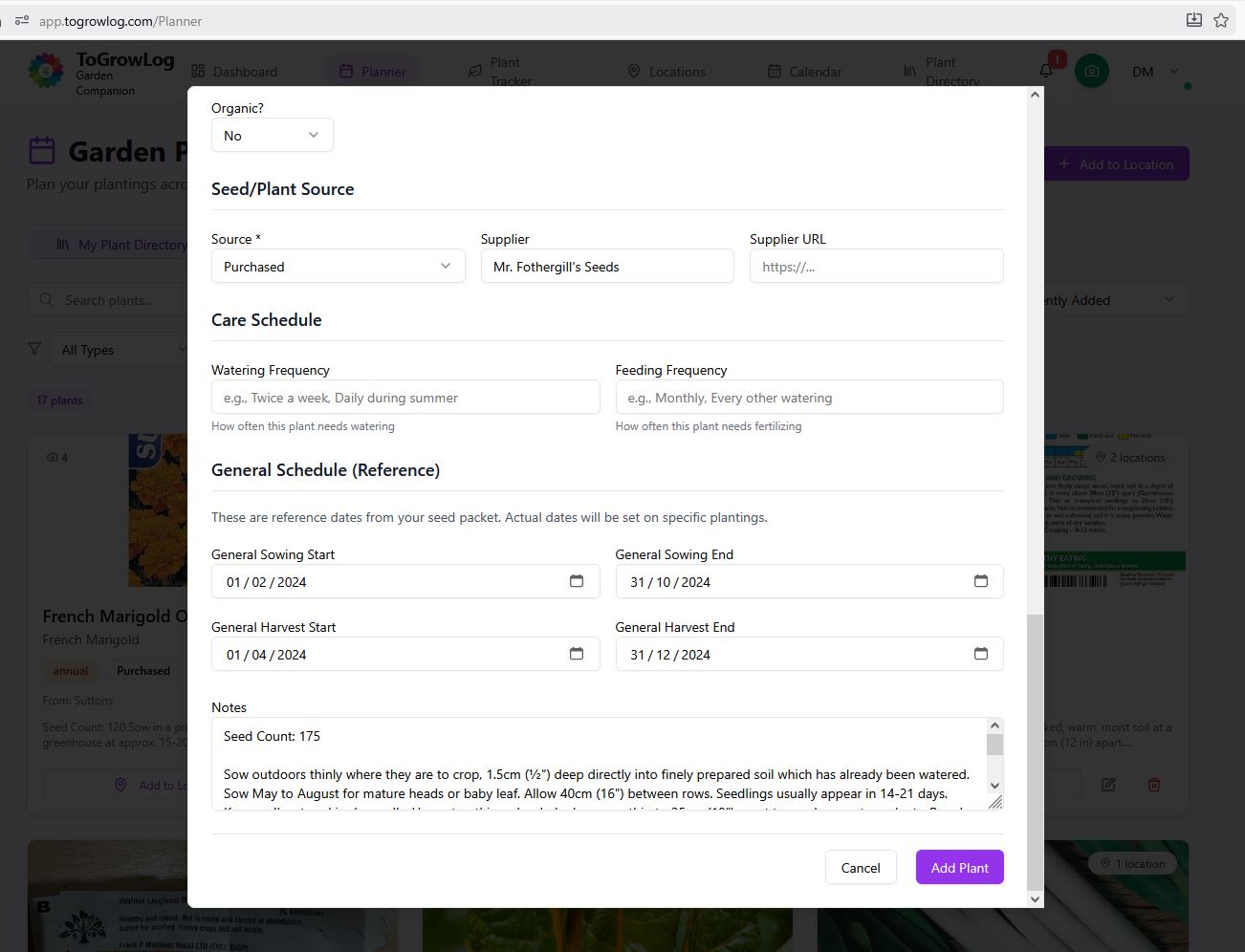
Auto fill sowing dates
The AI can even read the sowing and harvest diagram to provide those dates.
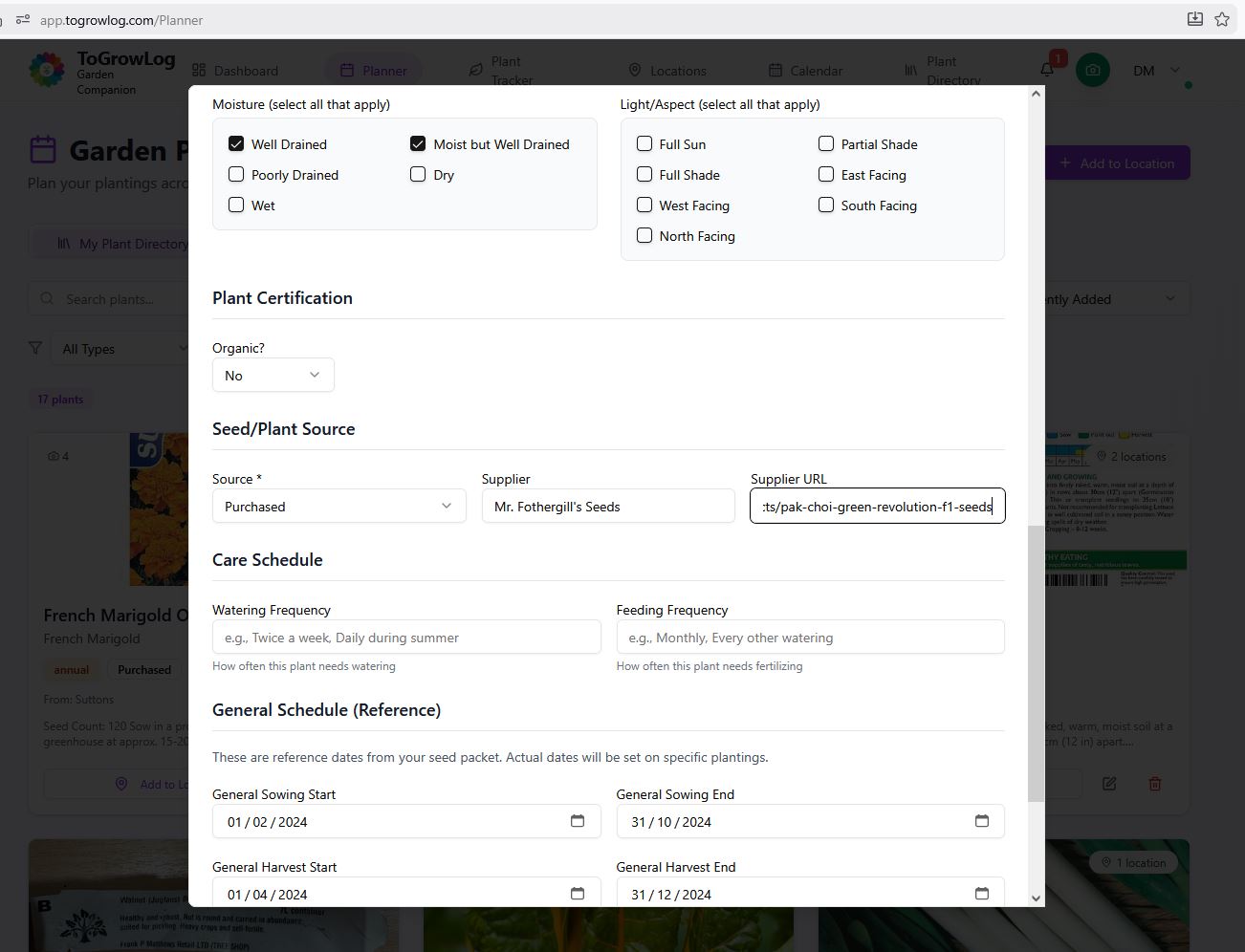
Review the form
Review the form and add more images you might have and the supplier link so you can but again next year!
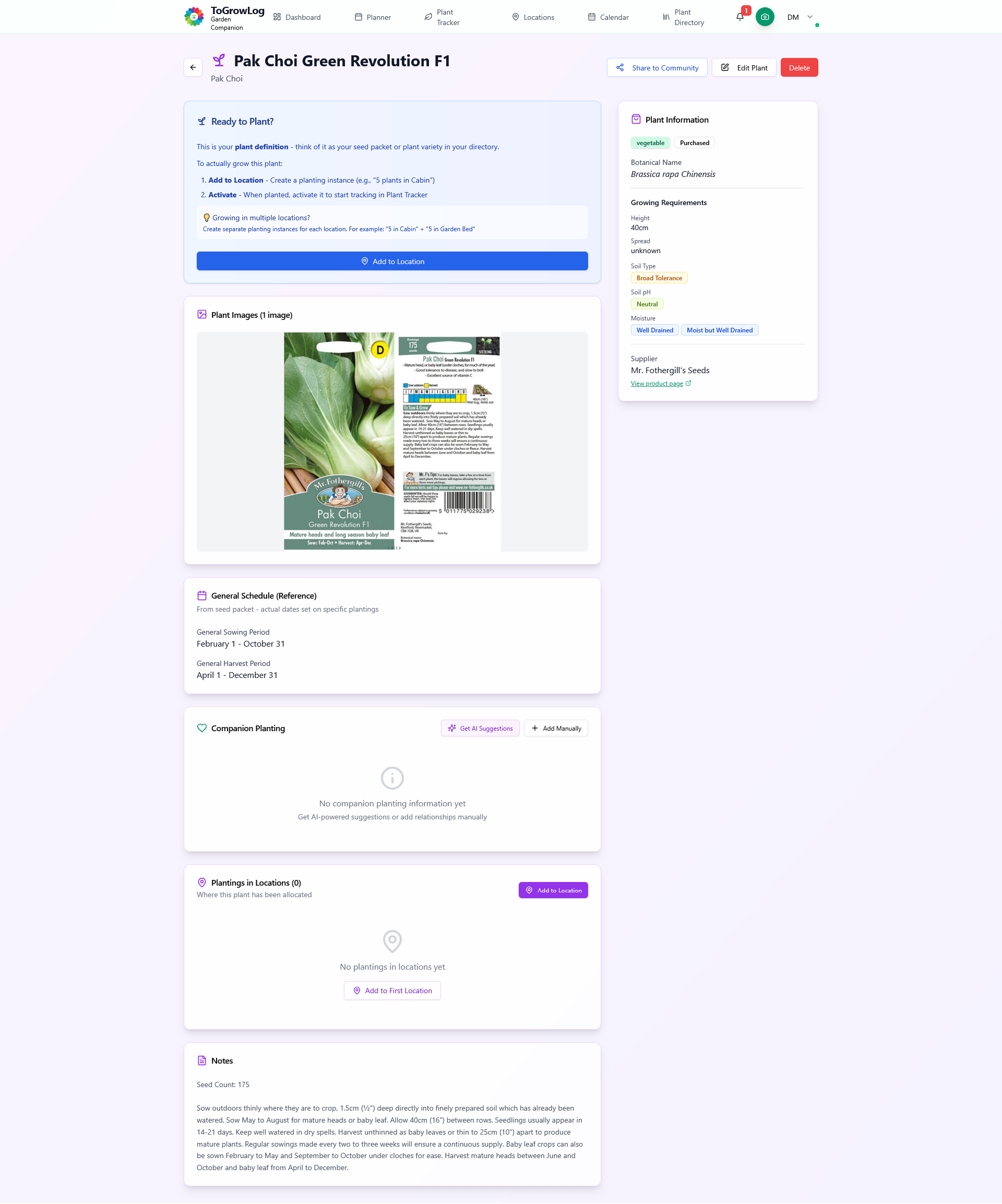
Completed Plant
Once you click the add plant button your plant is created. You can easily edit your plants details if needed.
Whats next?
Once you’ve added your plant you’ll see on the completed plant screen that there are a few other options for you. Firstly you can contribute the plant to the Global Community Directory that we are creating. We hope that this Community Directory will become a great place for all us gardeners to add plants for others to also try growing.
Towards the bottom of the for you’ll see a Companion Planting box where you can either add your own ideas or ask the AI to provide suggestions, both those that work well with your plant and also those that should be avoided.
Then there is the Planting Location box where you can add your plants to the various Locations that might have already created so you can begin tracking your plants and creating Layouts.
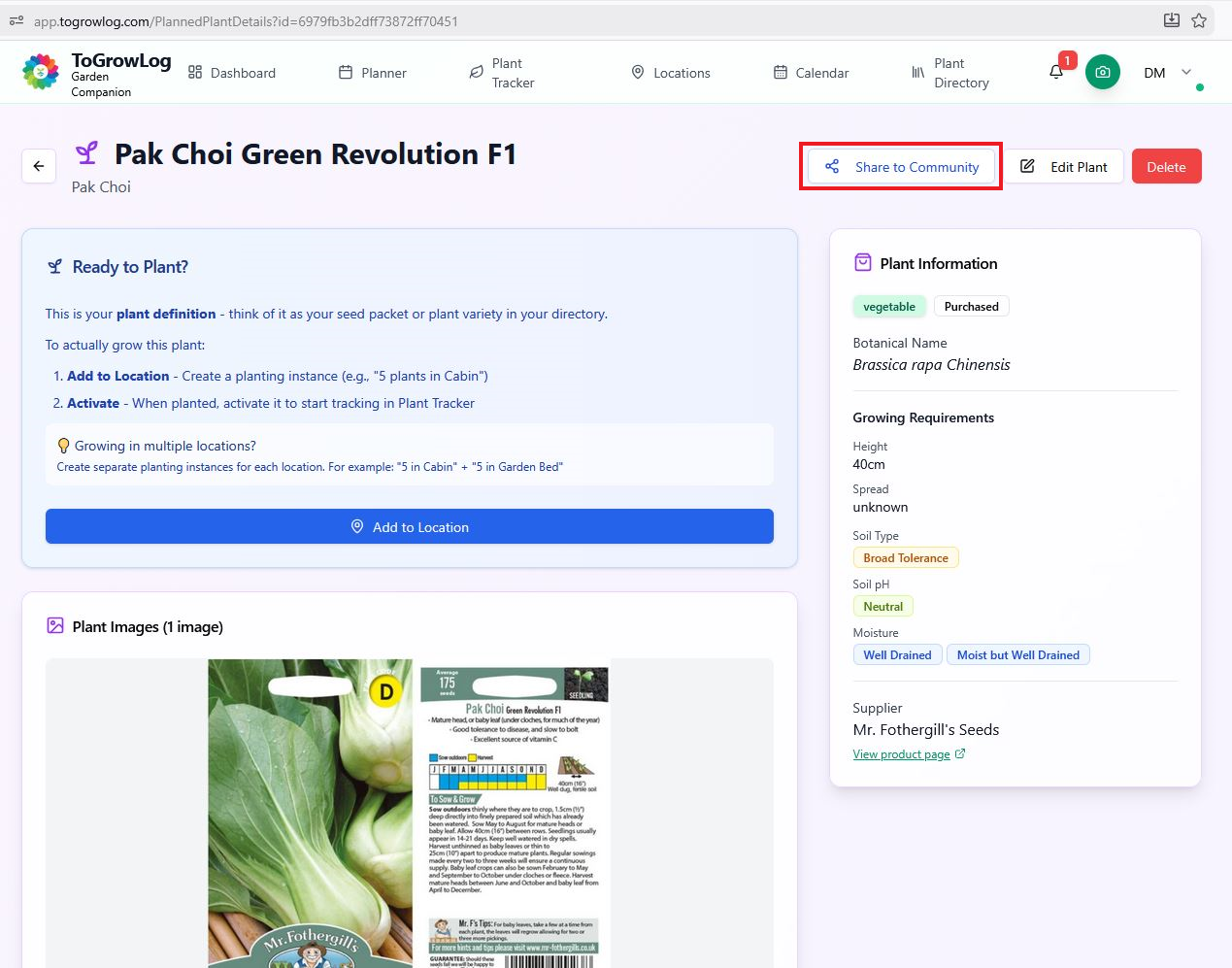
What next – Add to Community Directory
Click this button to add your plant to the Global Community Directory.
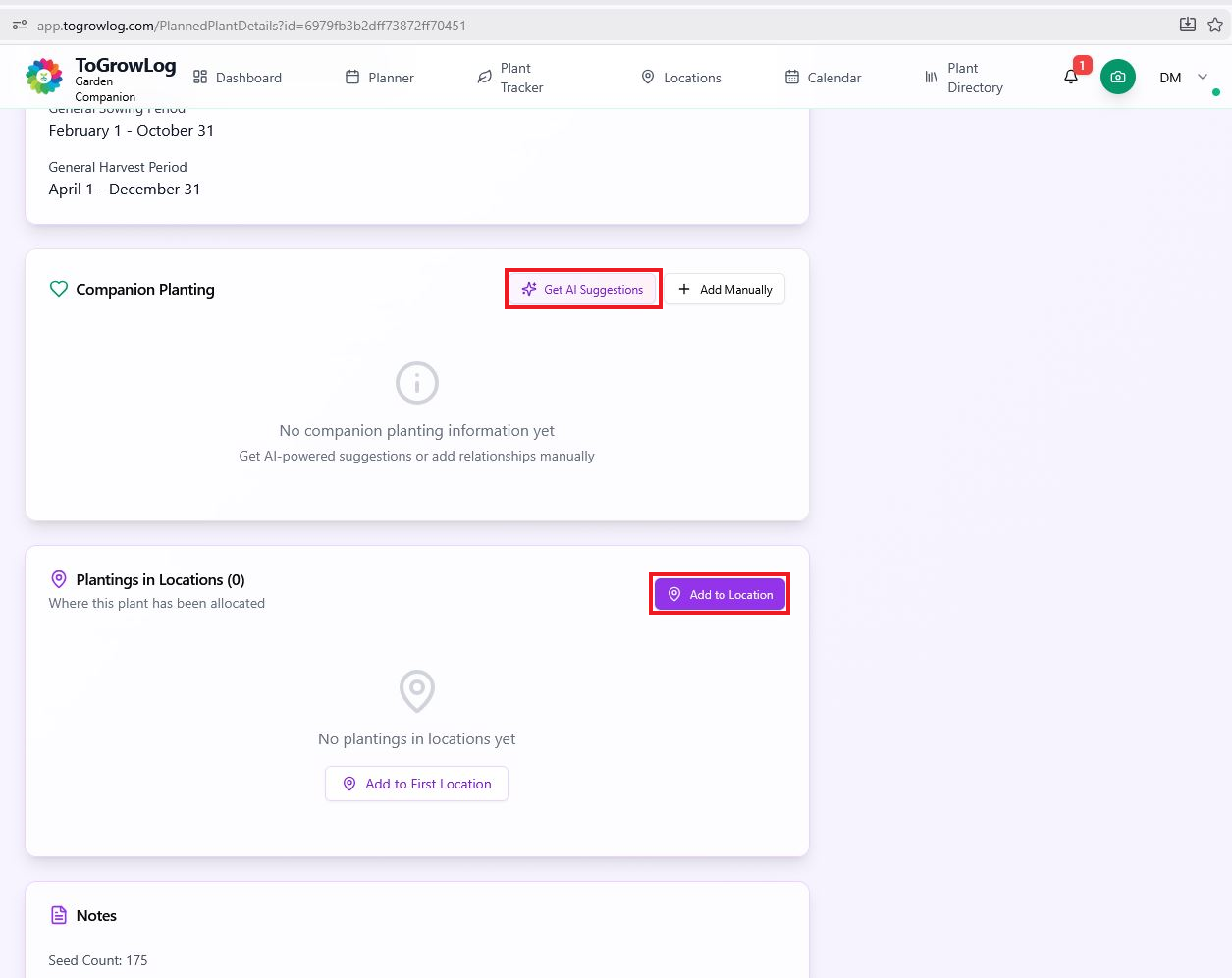
What next – Companion and Locations
Find companion plants to help avoid pest and add your plant to Locations in your garden.