
ToGrowLog is the garden companion where you can record everything about your outdoor space, garden, allotment, and balcony. Take photos of your plants from seed to flower.
The key elements of ToGrowLog are:
Planner
Plan for the season ahead. Identify plants you want to grow and allocate them to Locations with the help of powerful AI.
Plant Tracker
Track the progress of your plants from seed to maturity. Take photos as your plant grows and then record amount of produce.
Locations
Identify your greenhouse, flower beds, veg plot, track progress of plants and environment within that location.
Calendar
The Calendar brings together plant updates along with highlighting when activities for your plants should be happening.
Getting Started
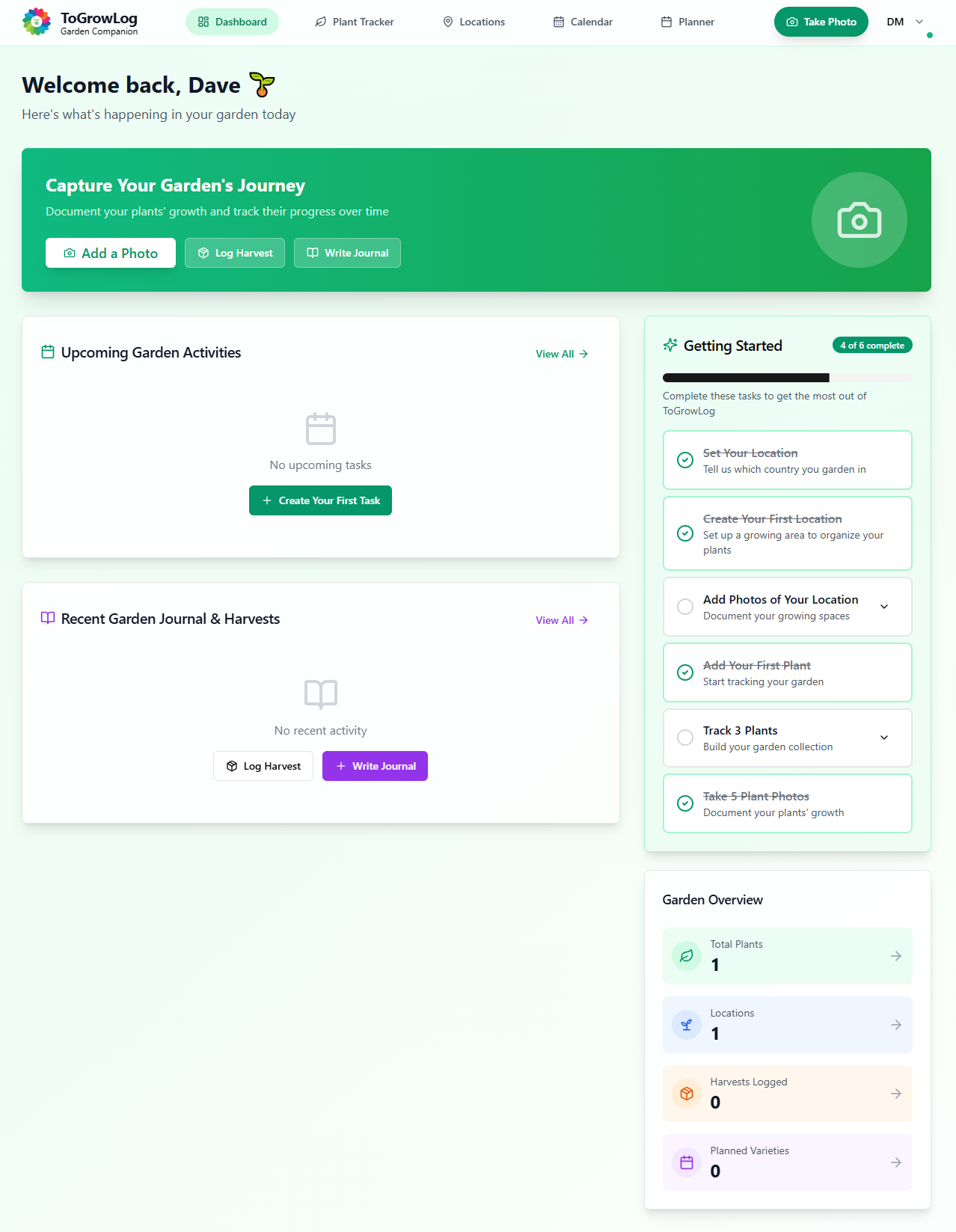
Once you’ve created your account and login you’ll find a helpful guide to get you started and introduce you to the main features.
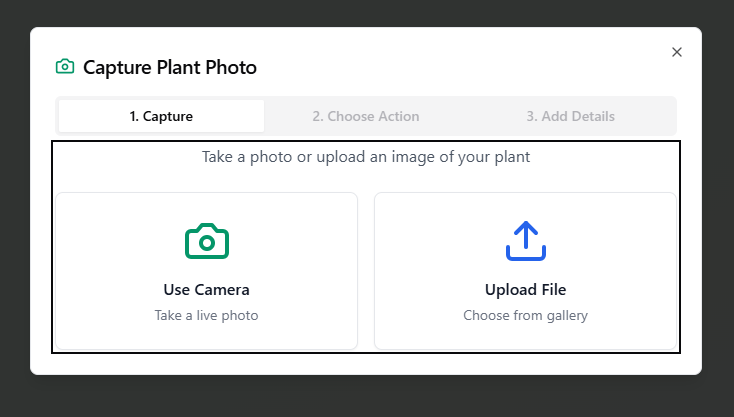
Above the getting started guide you’re encouraged to add your first photo. Click the button and you have the option to use your camera or upload a file either from your computer or devices gallery.
Garden Planner
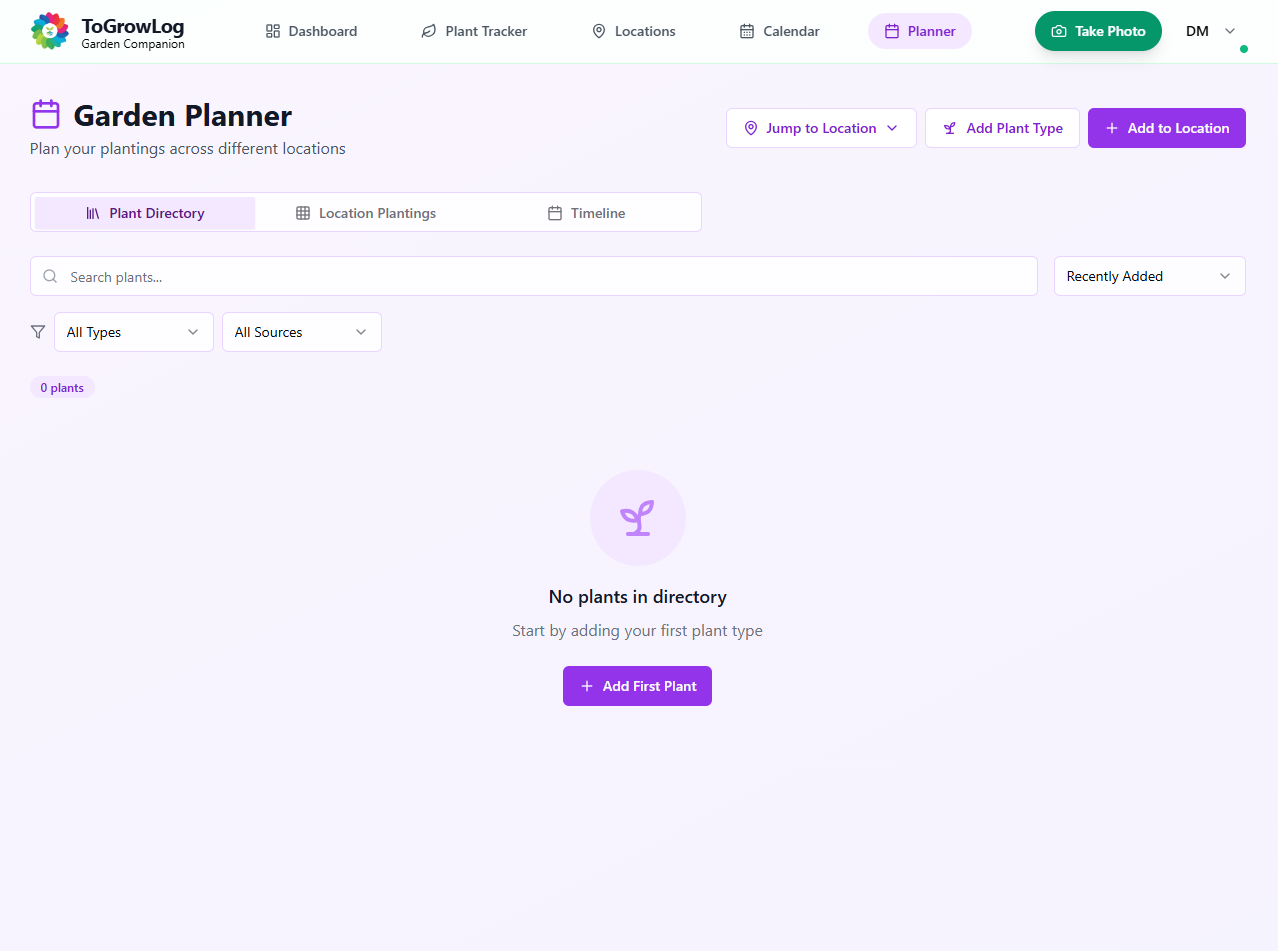
The Garden Planner allows you to create a plant directory of seeds you’ve collected or planning to purchase, or perhaps that you’ve seen when visiting someone else’s garden or the local garden nursery. Include details of where you can purchase, the range of dates for sowing seeds and when plants come into flower or when crops should be ready. You can checkout the Community Plant Directory and add plants to your planner from here. Once you have your plants add them to Locations within your garden and then plan the actual Layout using the Visual Plot Layout tool. The Garden Planner is a fantastic resource to prepare for the new season!
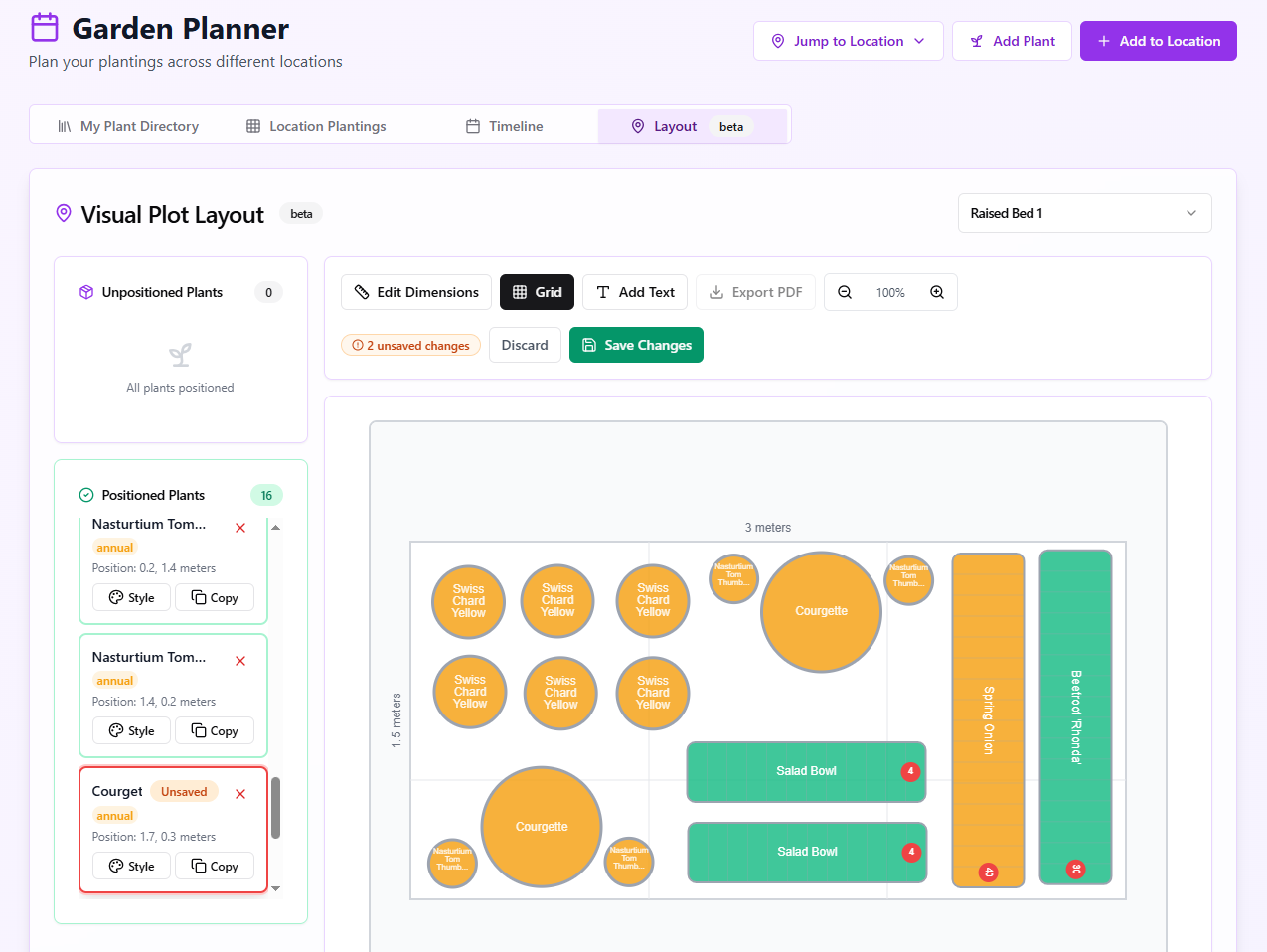
Below is a screenshot of the Visual Plot Layout tool. Once you’ve completed your design you can export as a PDF to print your design as well as a complete plant list.
Garden Planner
Garden Planner allows you to create a Plant Directory/Wishlist.
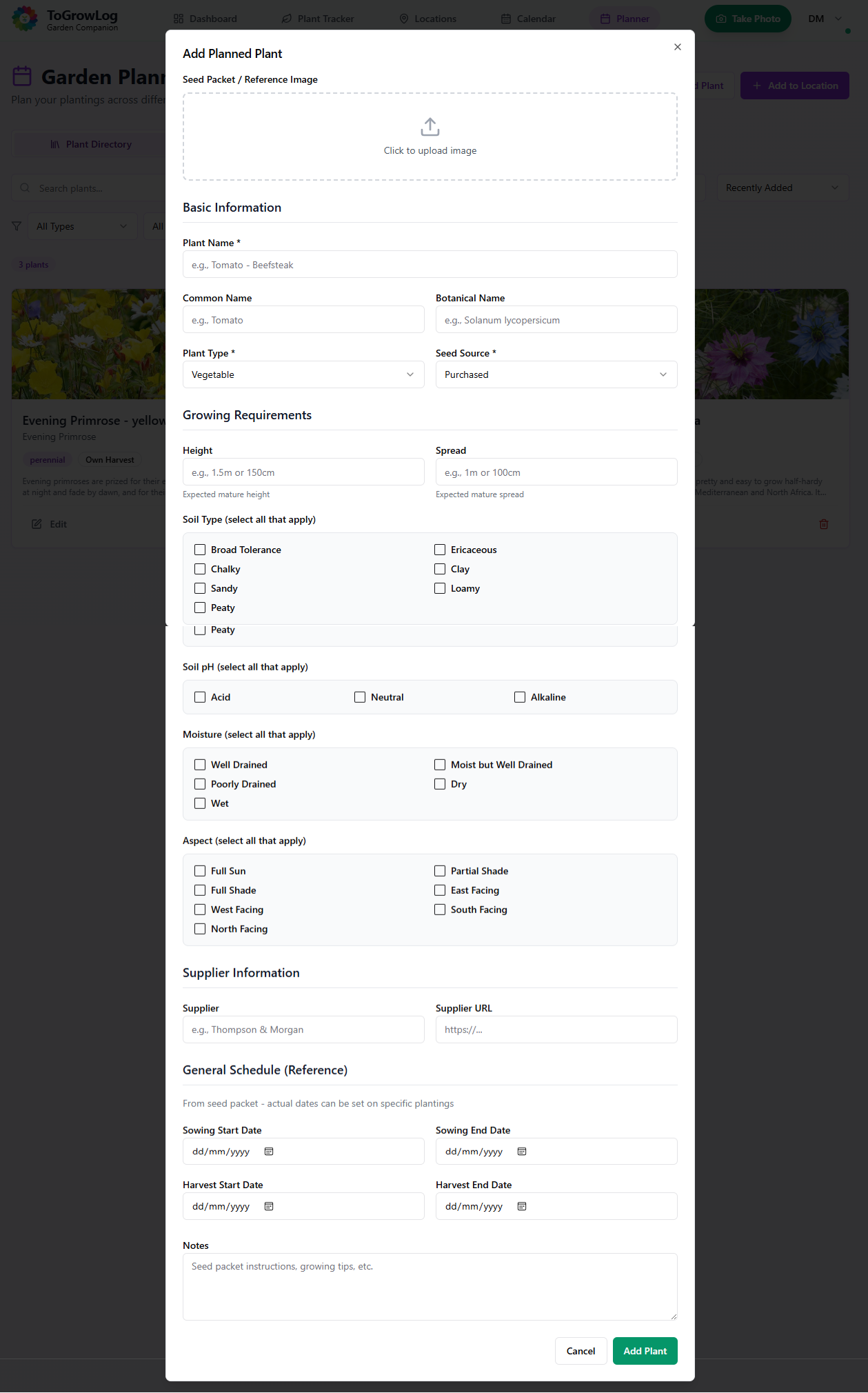
Planner Add Plant
The form for adding a plant to the Plant Directory.
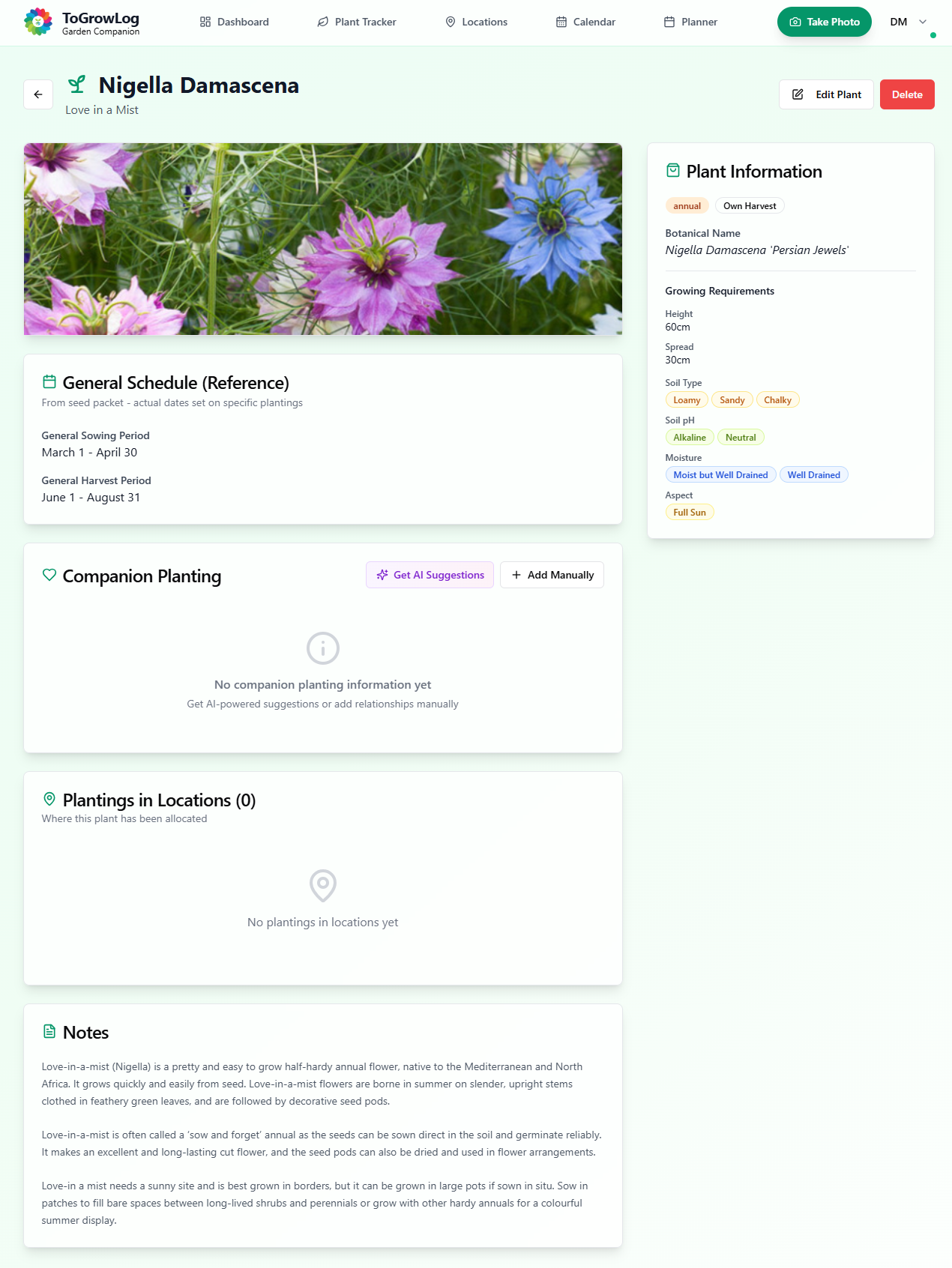
Plant detail
Plants can be selected from the Plant Directory to review their attributes.
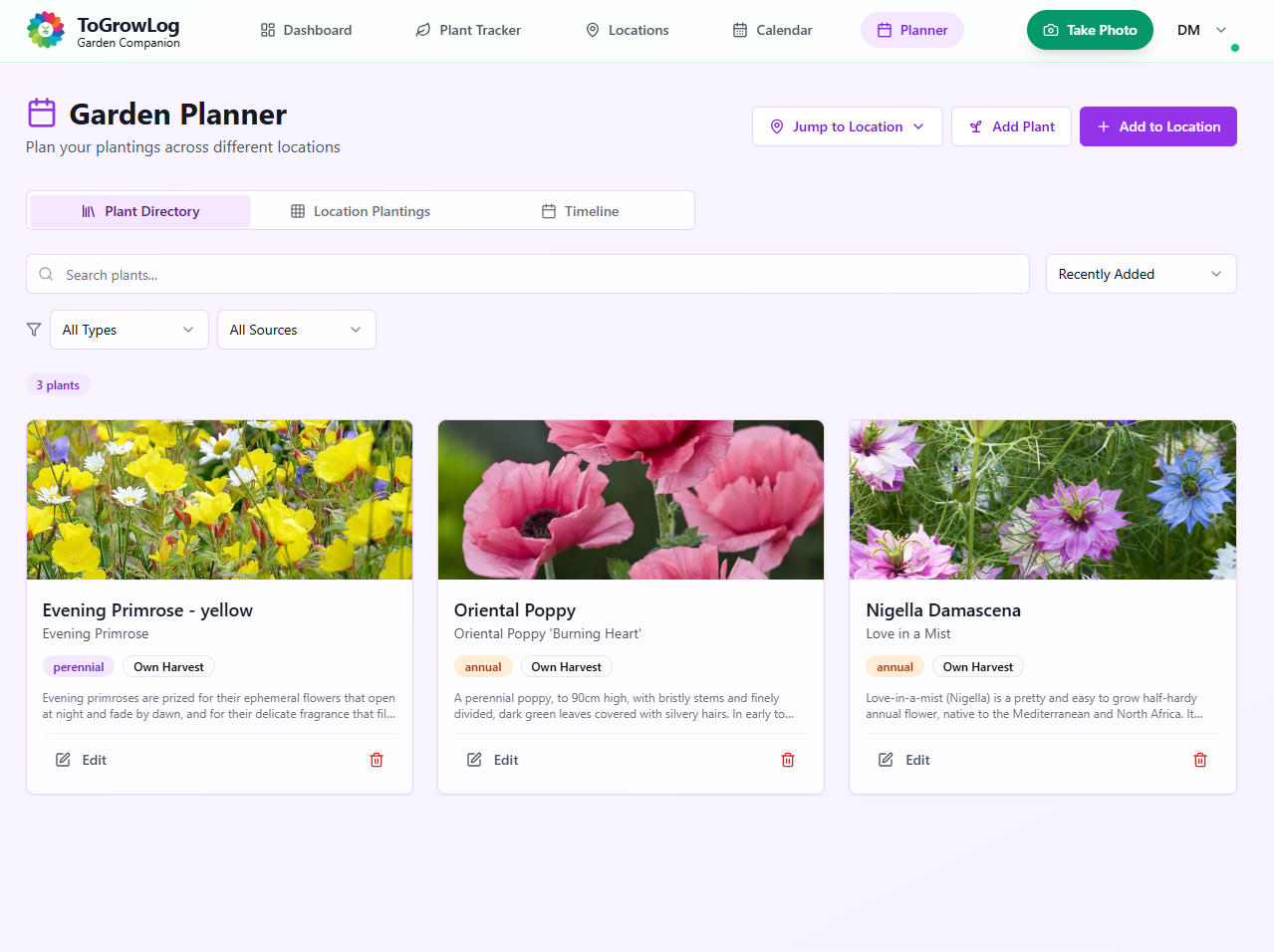
Plant Directory
Building up a Plant Directory.
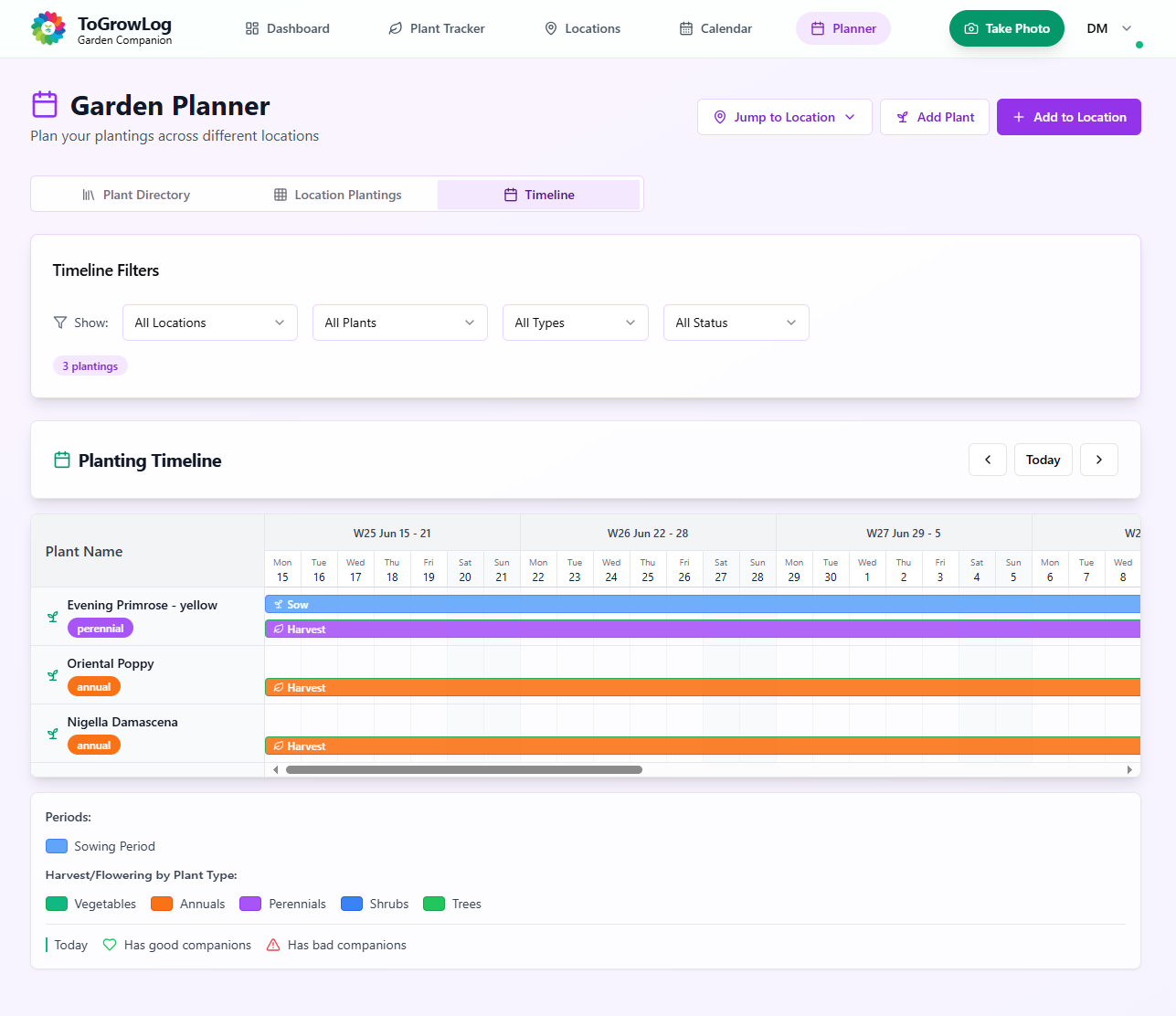
Planner Timeline
The Planner Timeline view allows users to see when seeds should be sown, when flowers should appear and crops harvested.
Visual Plot Layout Tool.
Visual Plot Layout tool helps gardeners to plan the layout of bedding or beds within a vegetable plot.
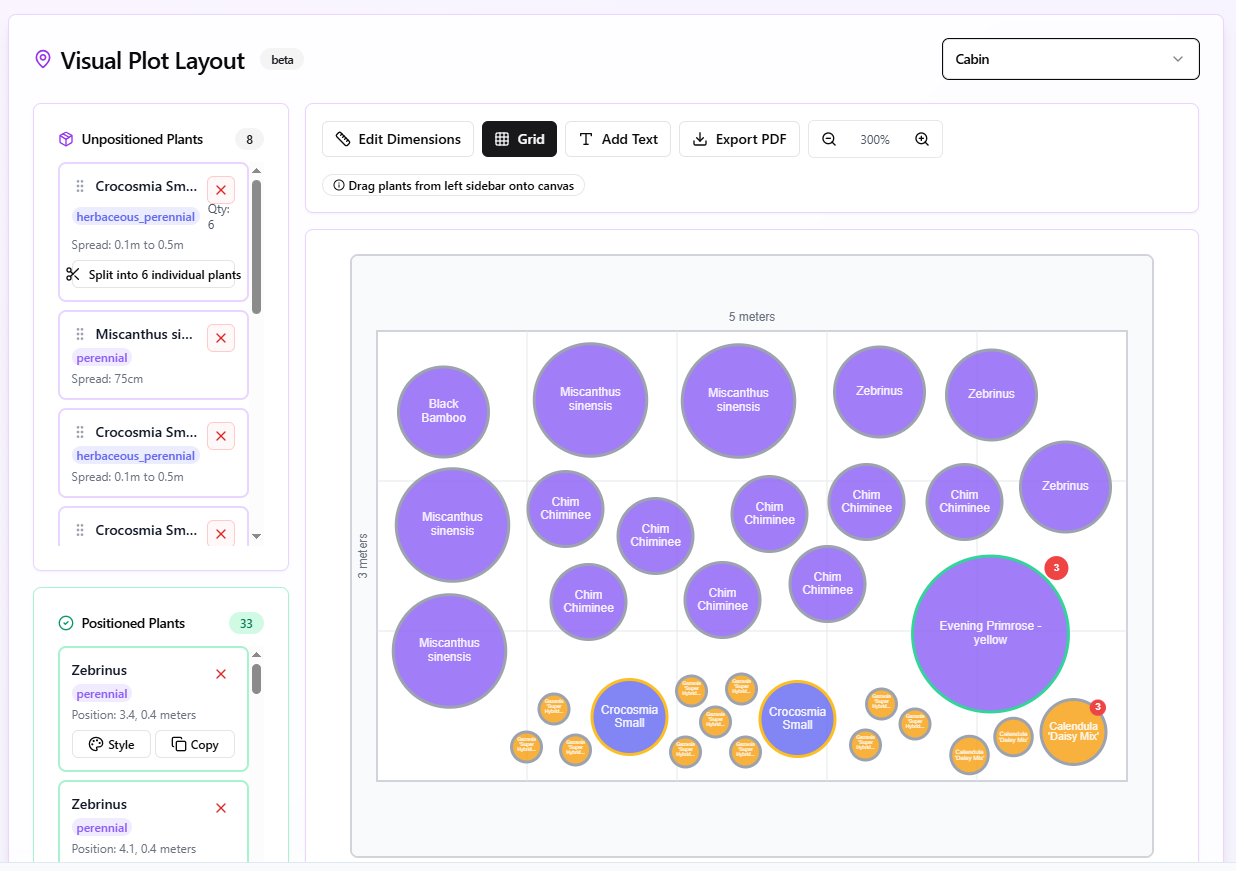
Visual Plot Layout Tool.
Visual Plot Layout tool example. Once happy with your design export as a PDF to print, including your full plant list.
Plant Tracker
As the name suggests this is where you can record your plants that you are growing. It might be one individual tree that you’ve grown from a seed or a cutting, or perhaps its a whole collection of the same sort of plant such as Cosmos. The idea is that you can track your plants progress from one season to the next and then year to year.
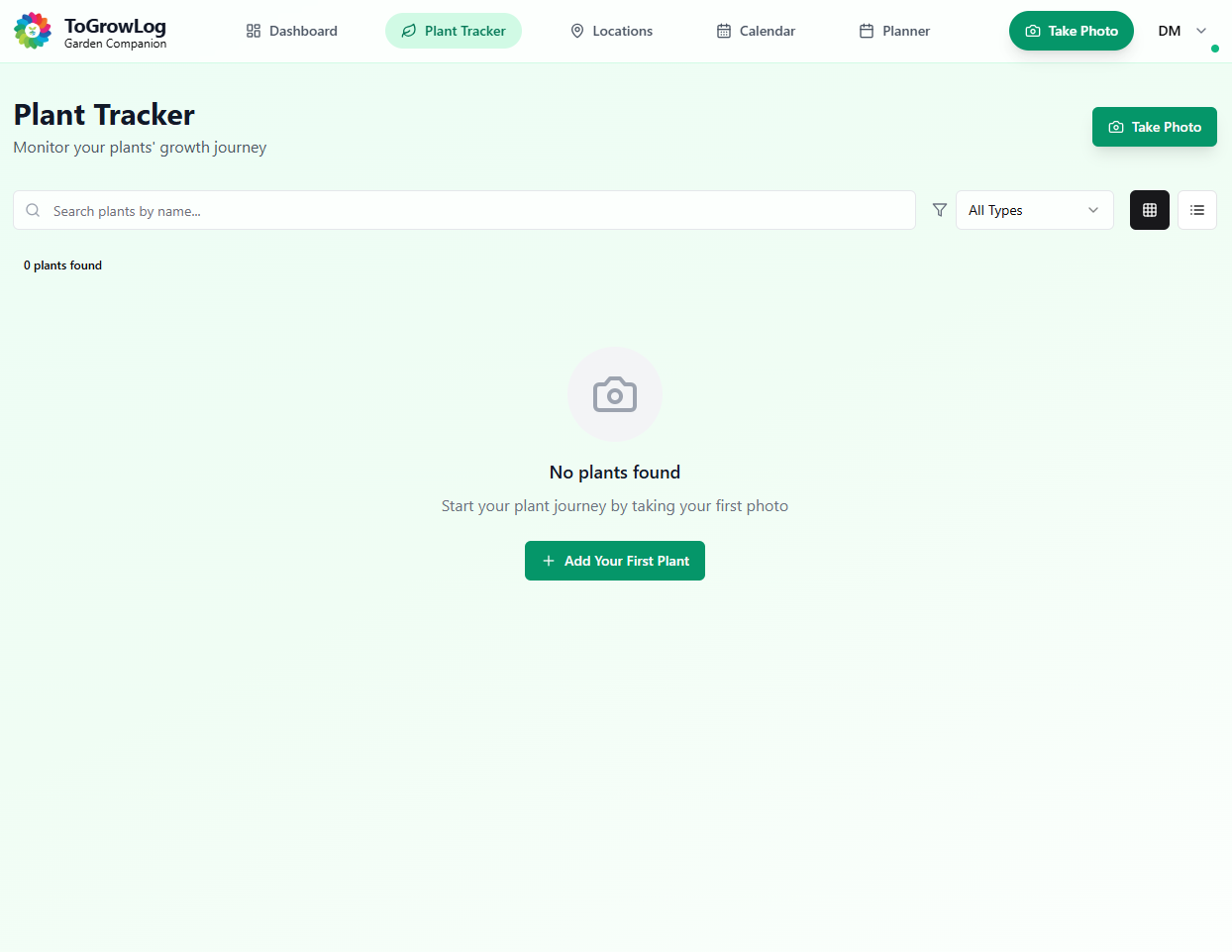
Plant Tracker – No Plants
Plant Tracker screen with no plants added.
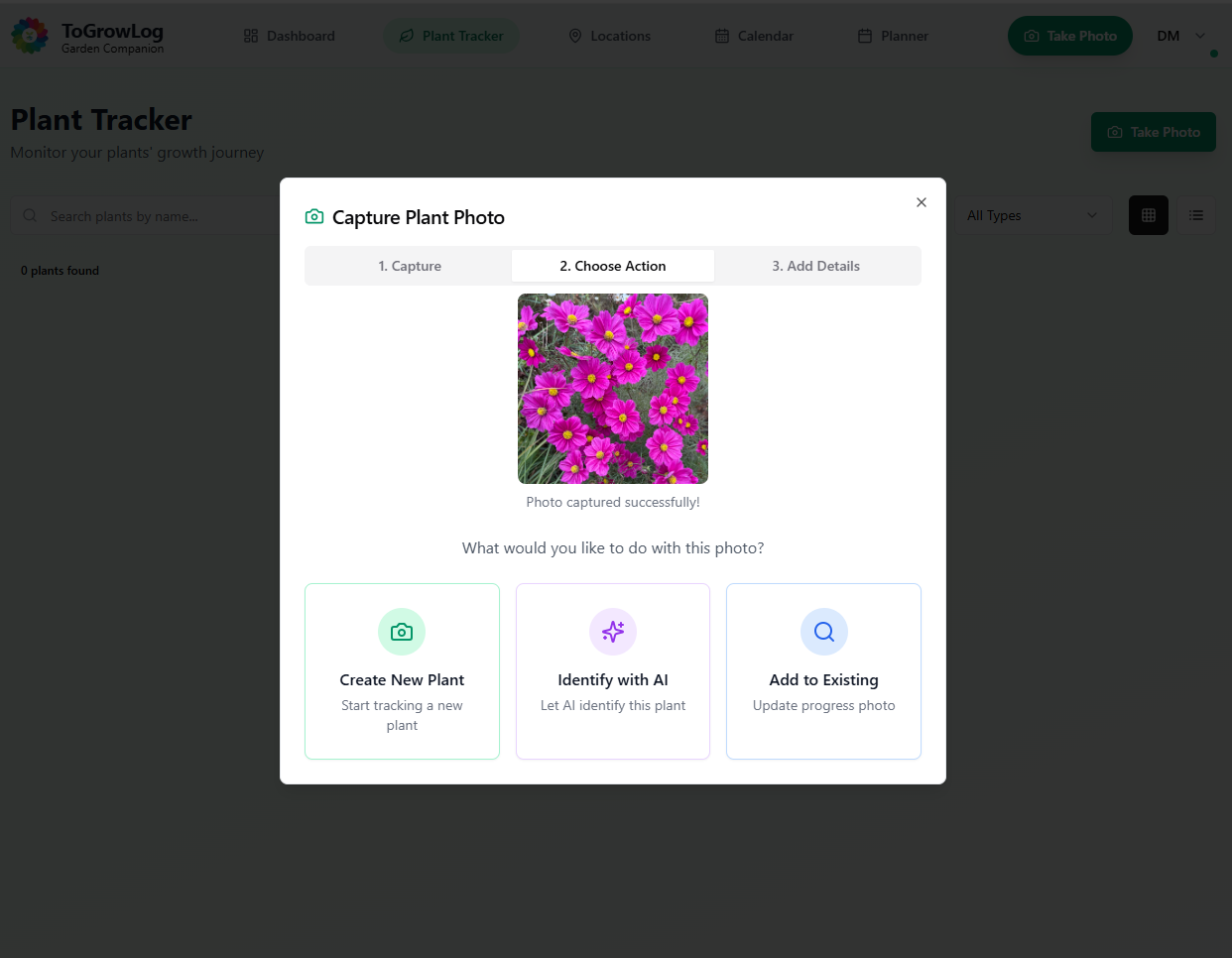
Photo Action
Once a photo is taken what should ToGrowLog do?
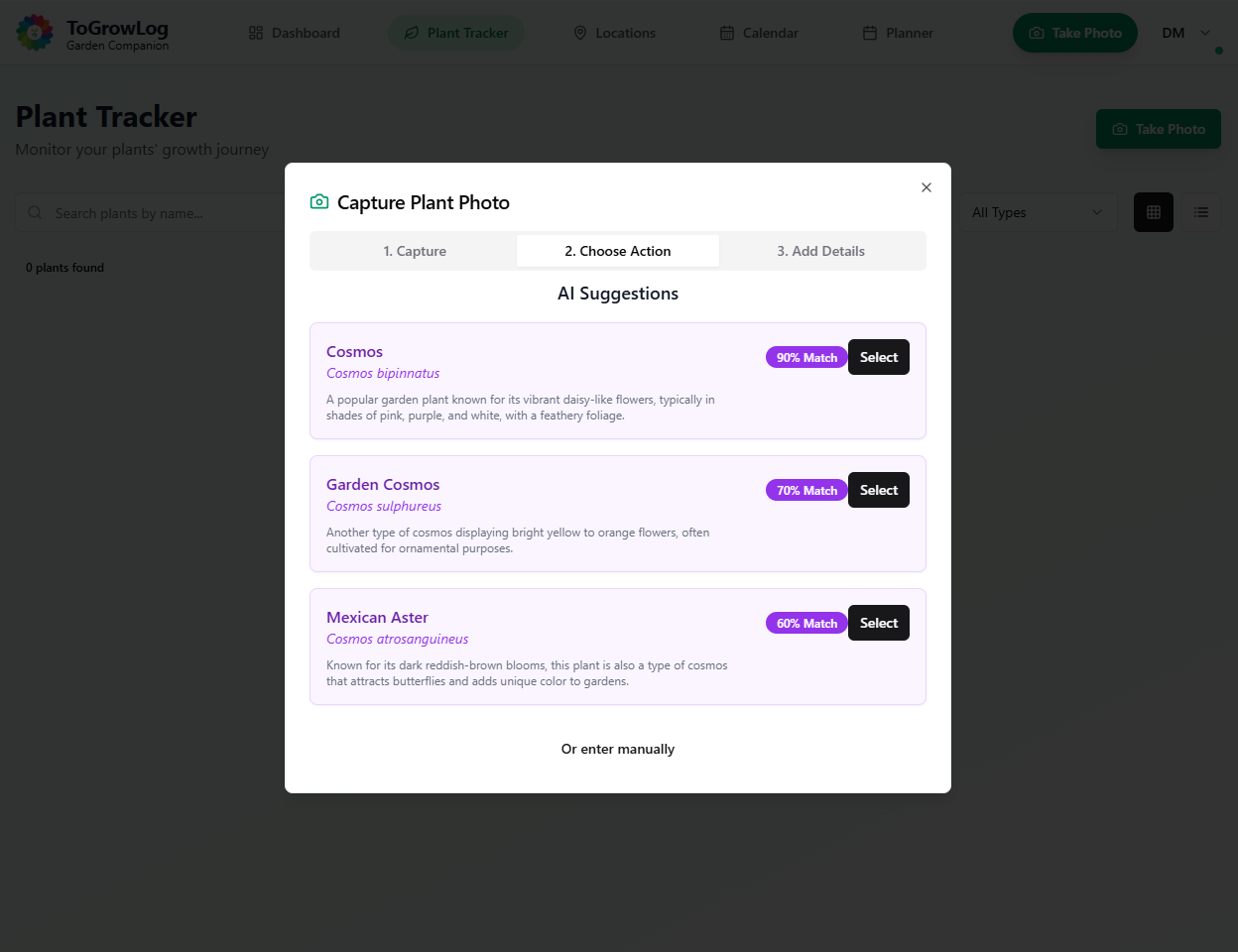
AI Plant Identification
Using AI to identify the plant.
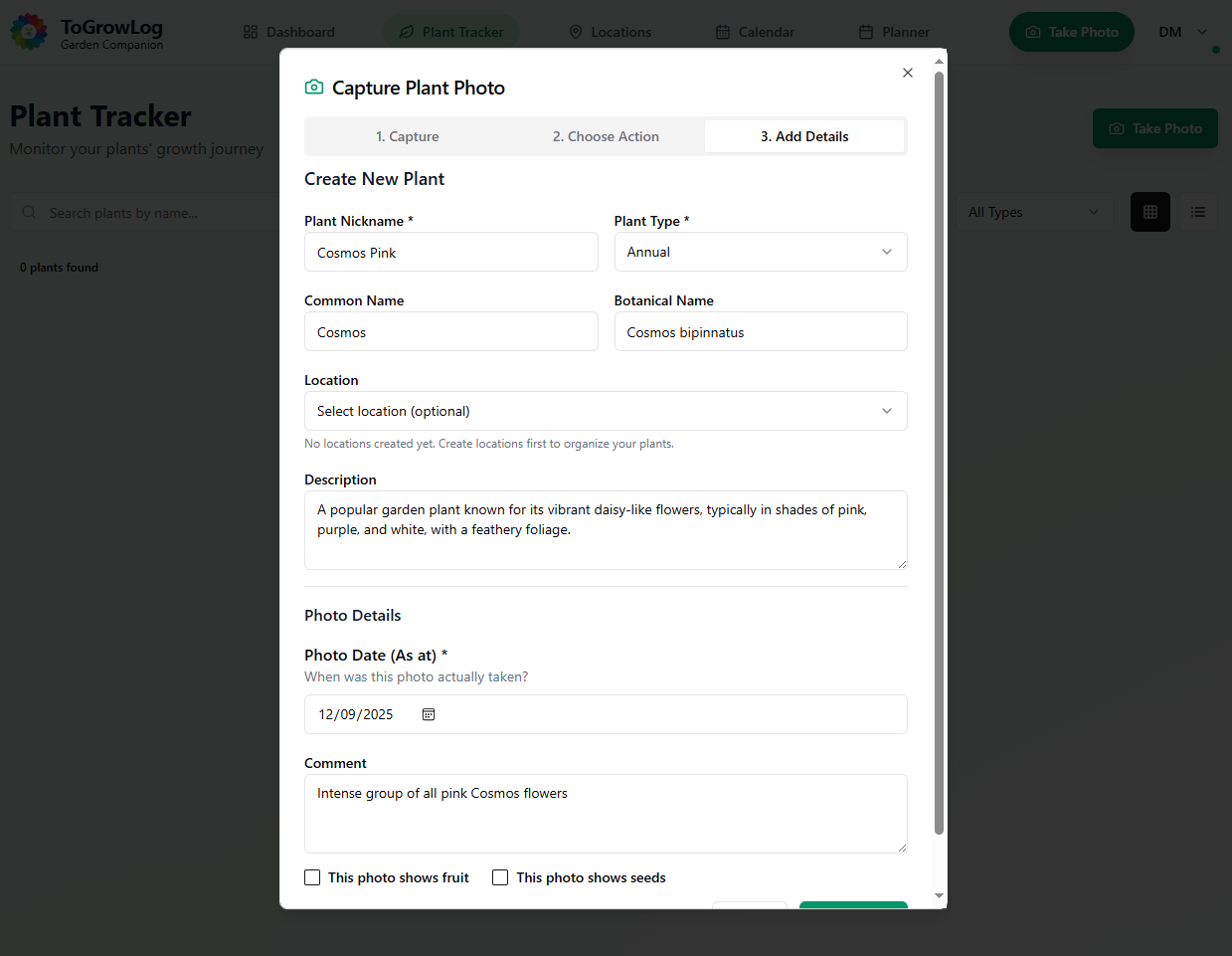
New Plant Form
AI pre populates the New Plant Form.
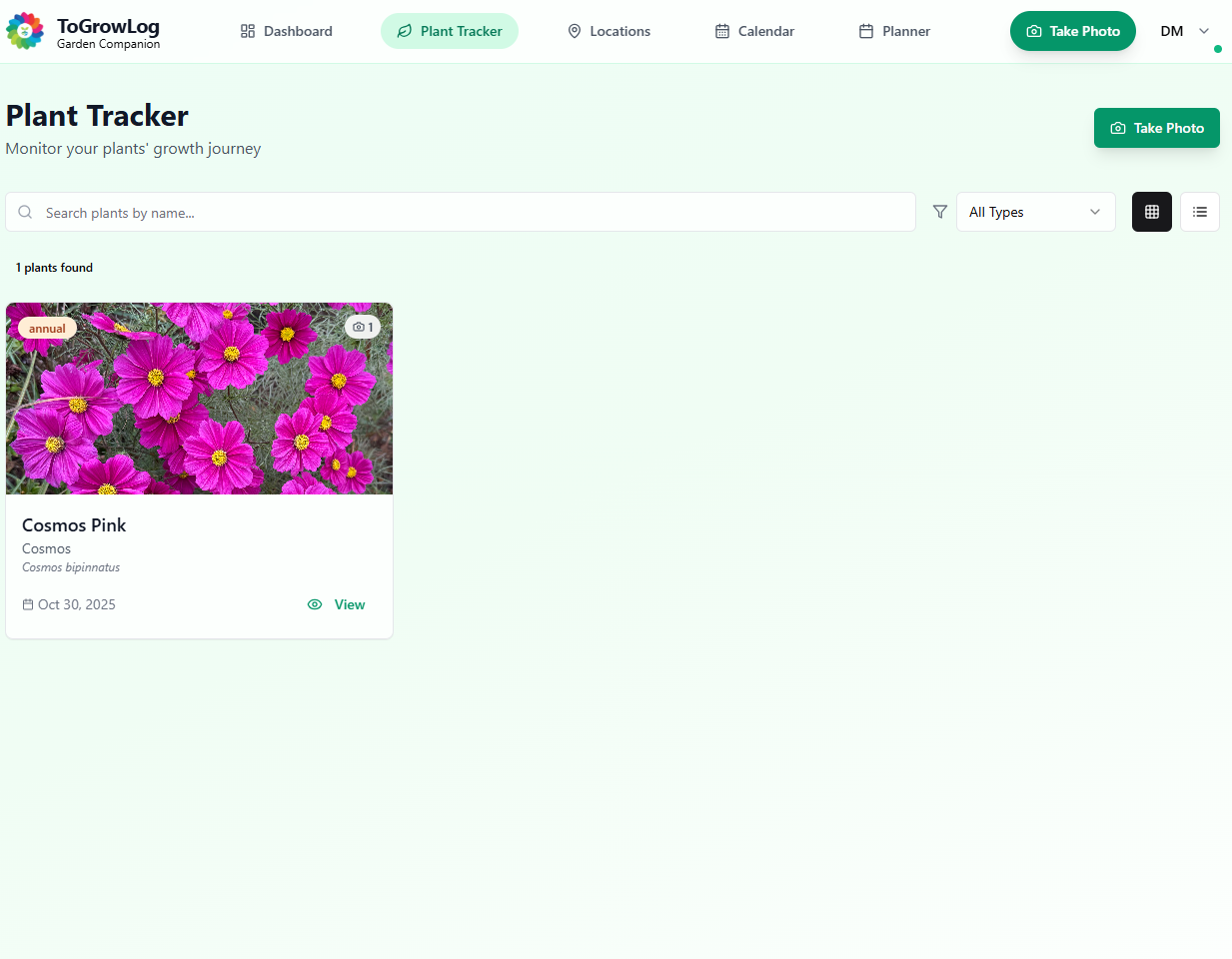
Plant Tracker – First Plant
The first plant in the Plant Tracker
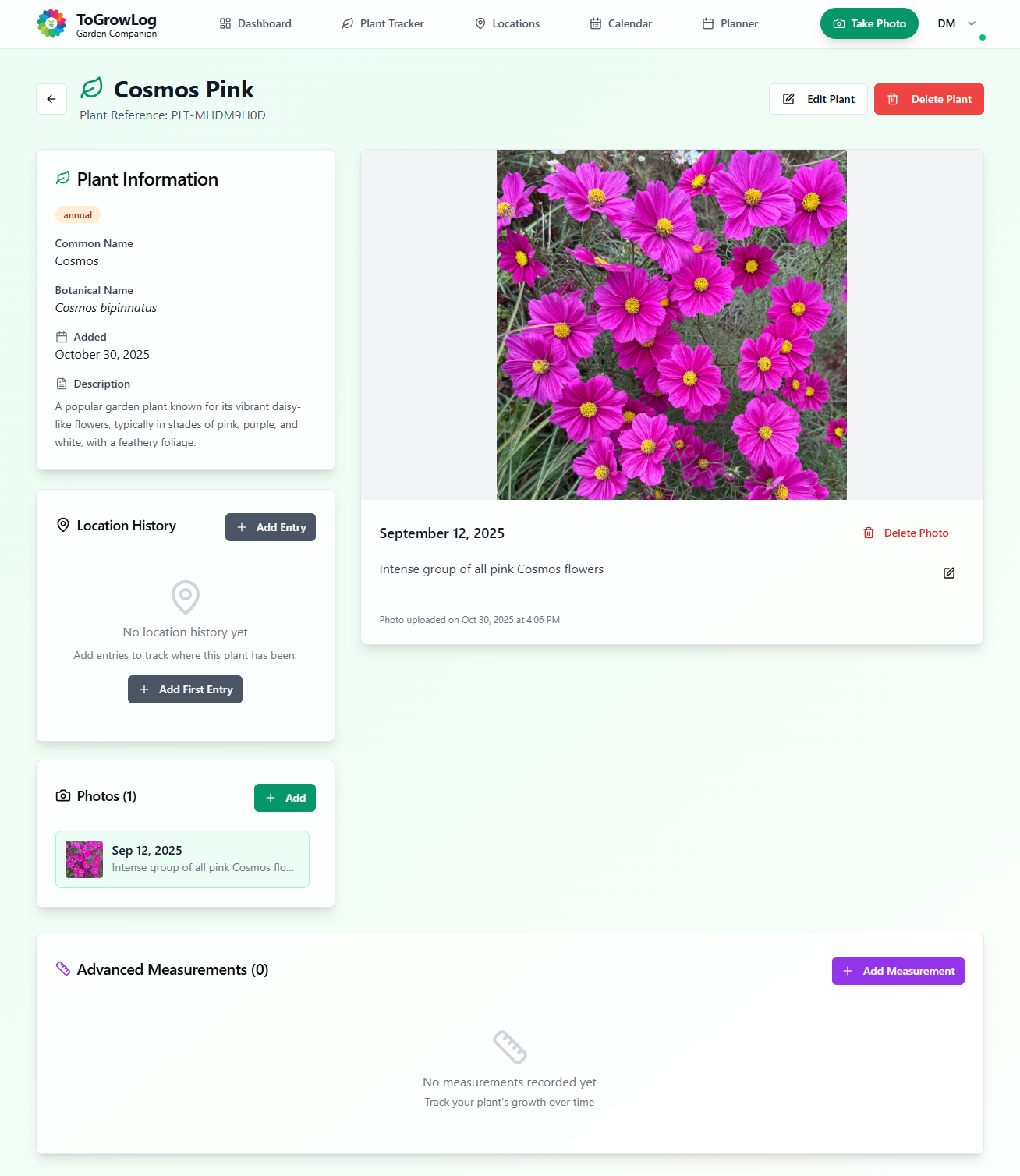
Plant Detail Page
Once a plant is created through the process of adding a first photo and completing the new plant form a detailed summary page for that plant is created. More photos can be added, a Location for where the plant is growing can be added, even track various locations say if seeds are germinated on a window sill then moved to a greenhouse and then finally planted out.
At the bottom of the page you can add measurements such as height, and if a vegetable then crop yield.
Locations
Organise your growing spaces using Groups and Locations. You can chose to use Location Groups to organise multiple related locations together. For example, “Vegetable Plot” could contain “Raised Bed 1”, “Raised Bed 2”, and “Raised Bed 3”. Or you might prefer to chose Locations on their own without any grouping, specifying your growing areas where you’ll track your plants, examples being Balcony Planters or Indoor Shelf.
Once Locations are created there is AI support. The more date you include such as plants within the location, environmental measurements including temperature, soil pH and fertility, etc then the more detailed guidance that can be offered by the built in AI.
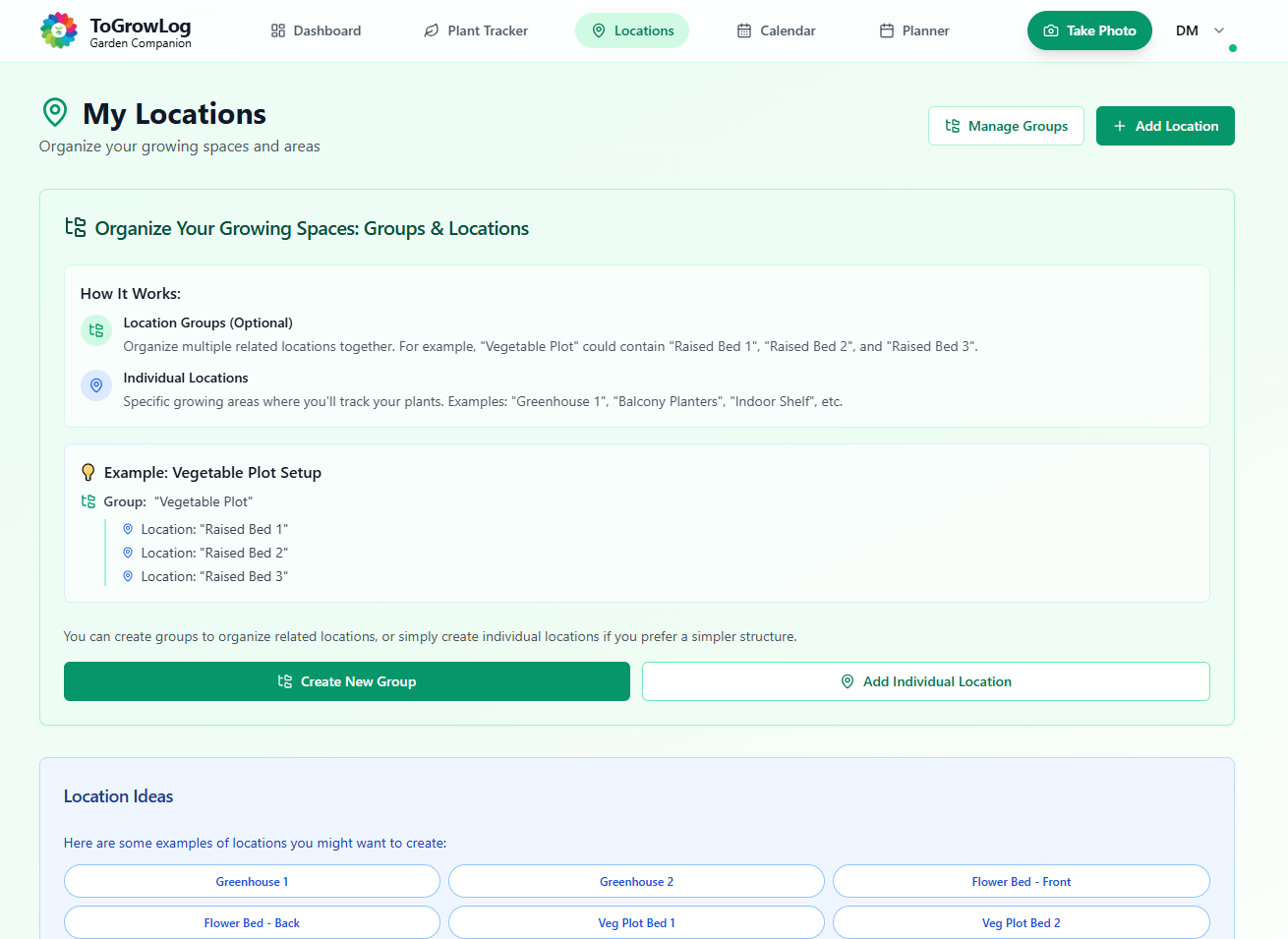
Locations
Create your planting locations.
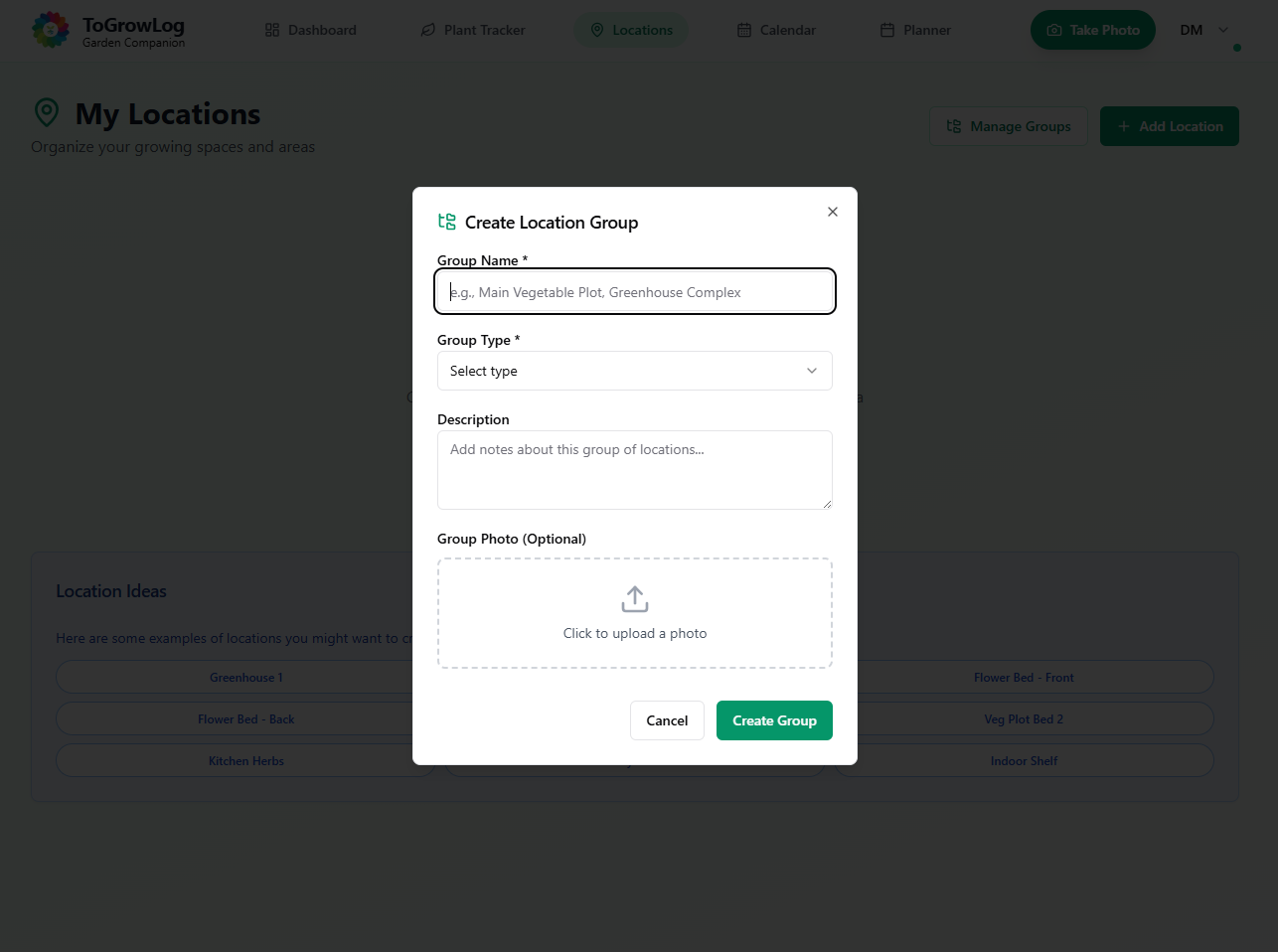
Group Location Form
Create your first Group Location.
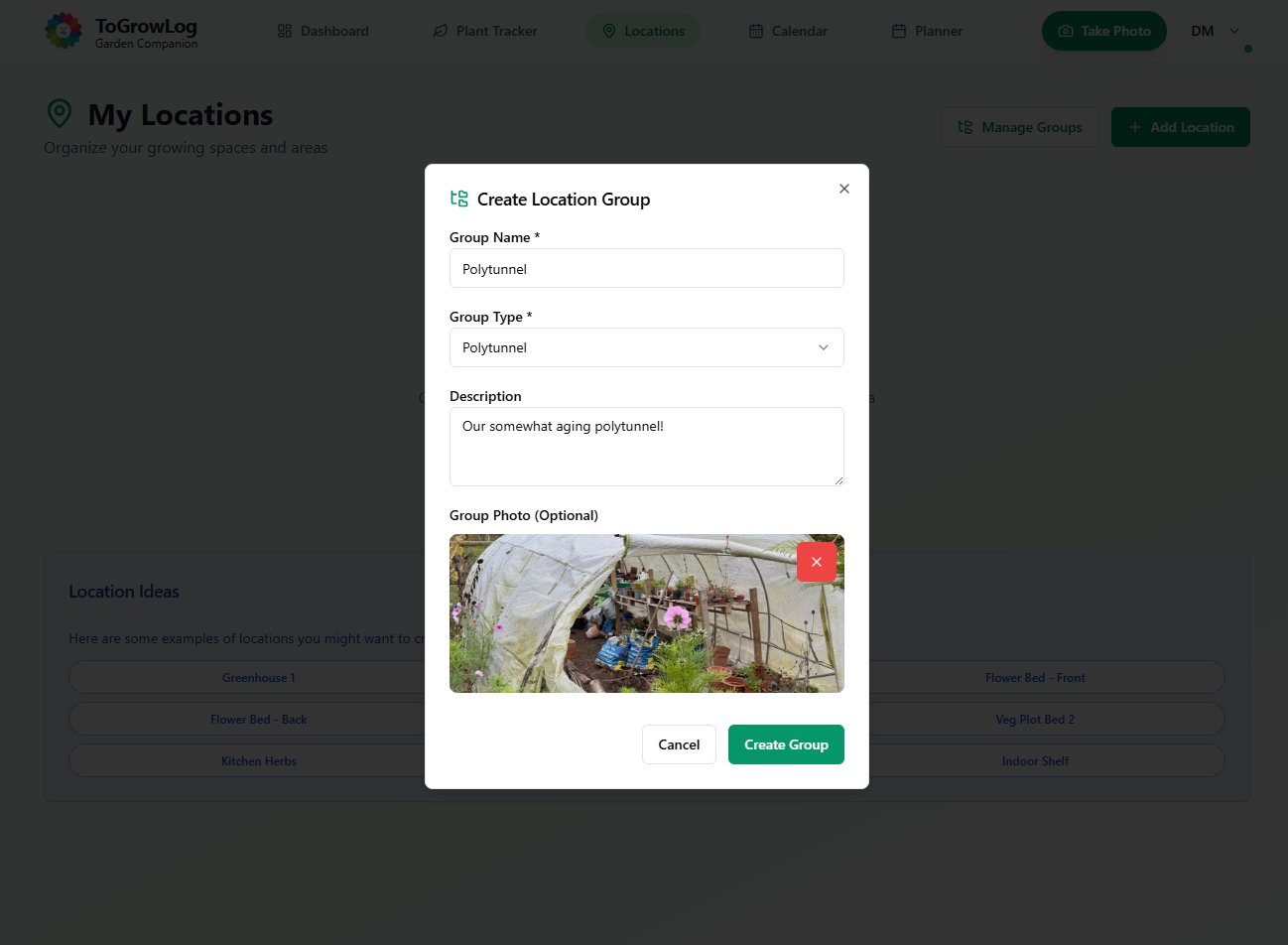
Example Group Location
Example form for creating a Group Location.
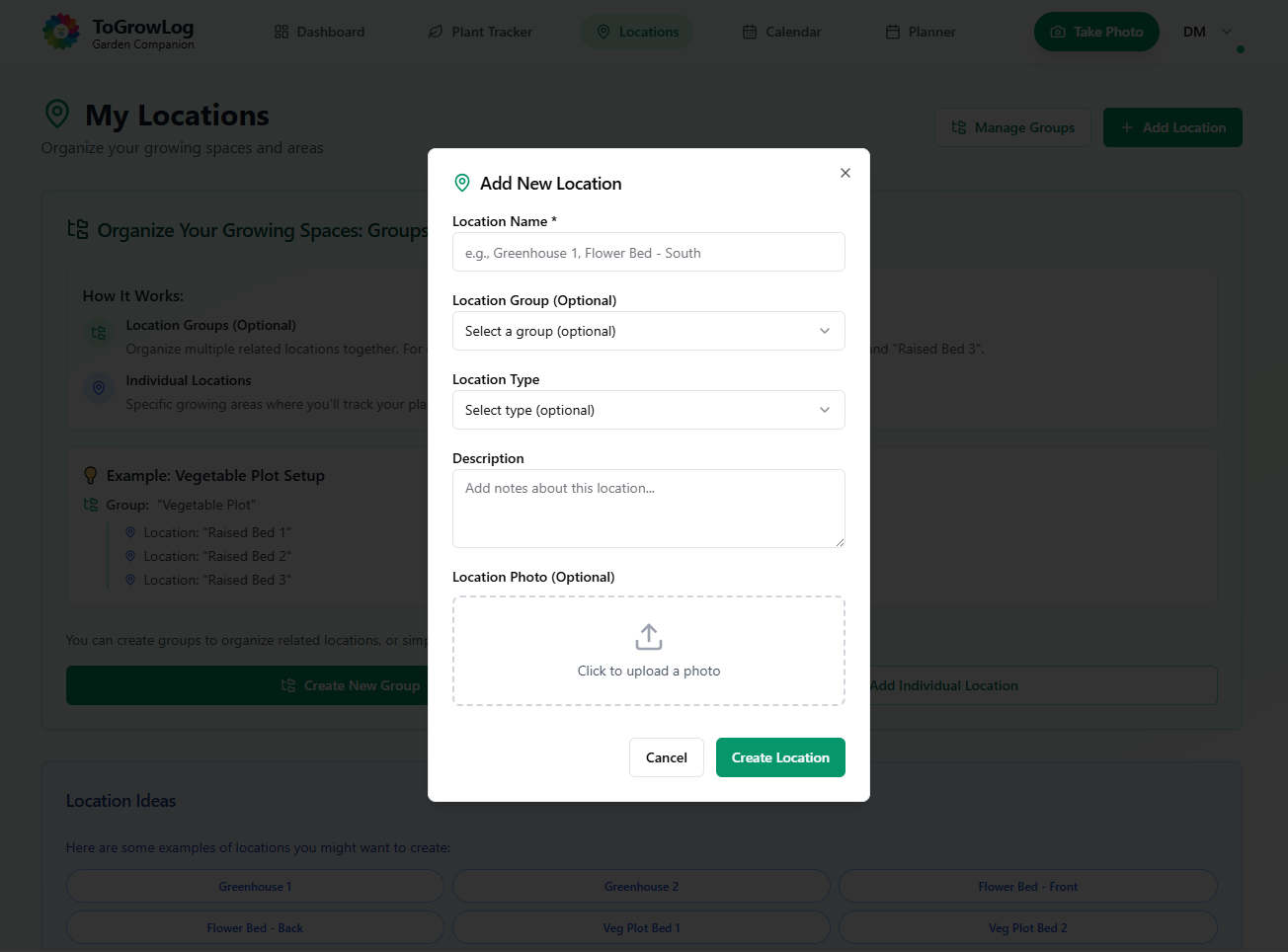
Create a Location
Example create a Location form.
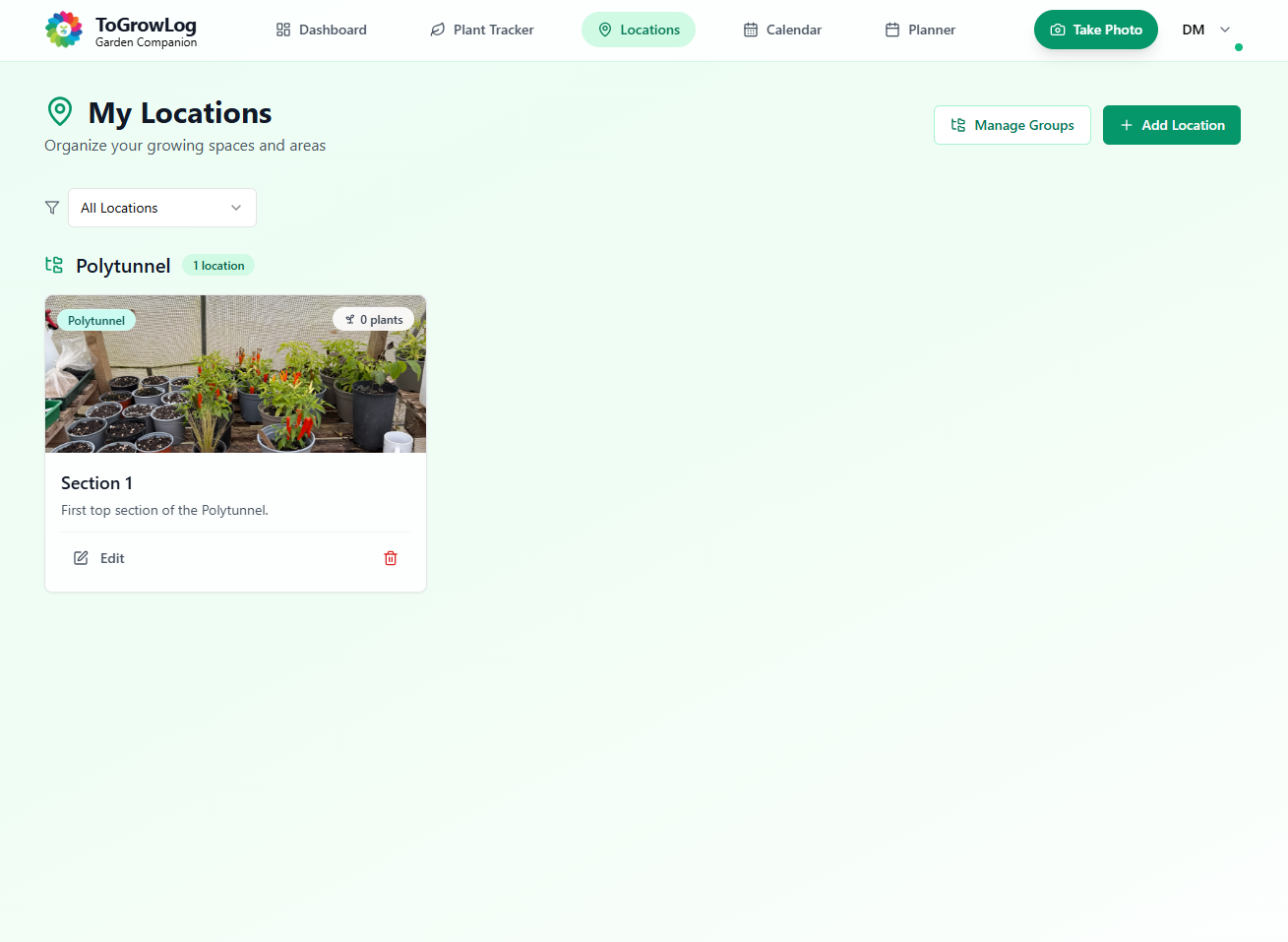
My Locations Screen
This is where all your locations appear sorted by your Groups.
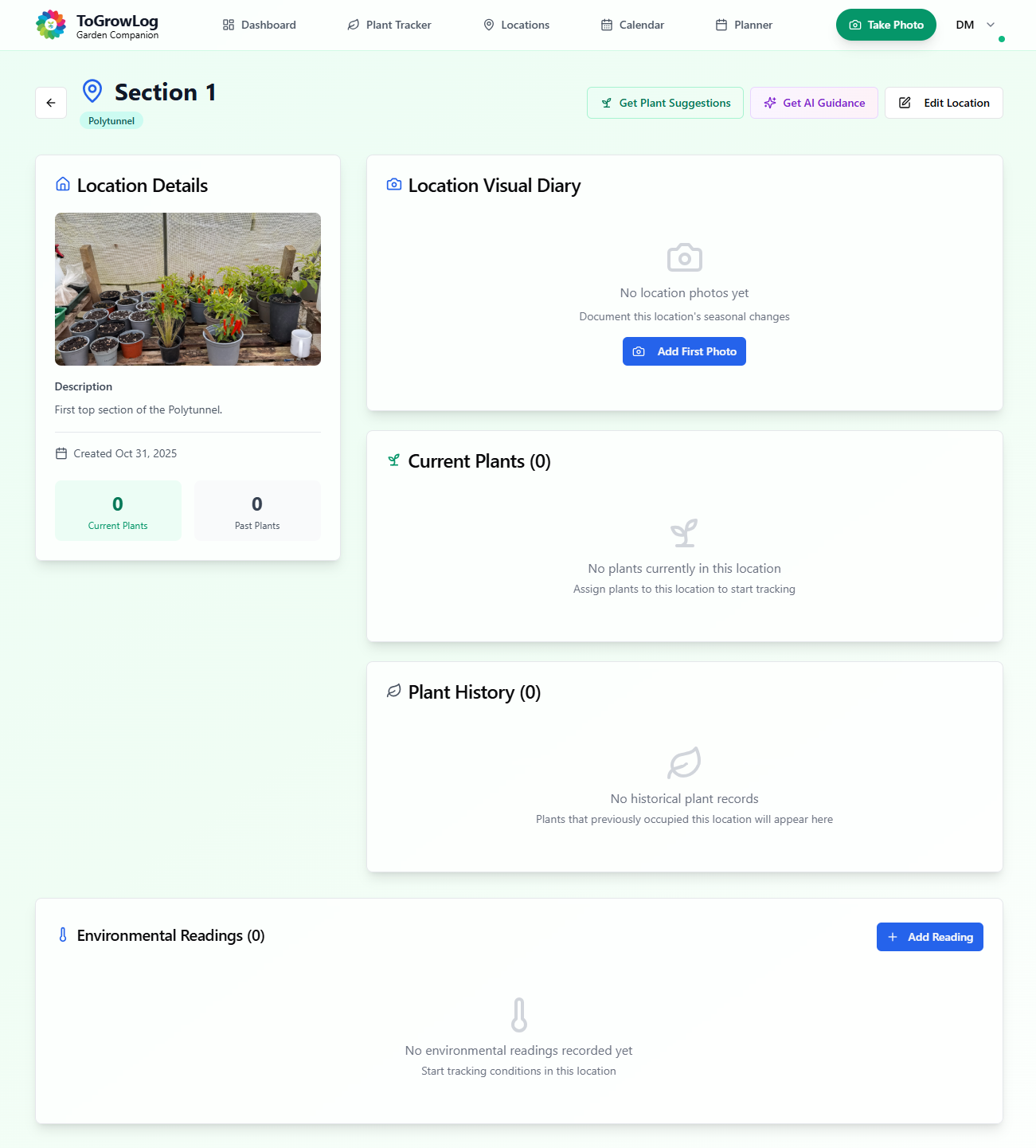
A Location Page
This is an example Location page ready to start recording how the location changes over time. Also includes Environmental readings such as temperature, soil moisture, pH, and soil fertility.
Calendar
The Calendar is a powerful tool for organising your gardening activities. The main Calendar view can be switched between day, week, month, and year. The Calendar can then be filtered by Event such as Tasks, Planned Planting, Journals, Harvests etc. Alternatively you can filter the Calendar by Location.
The Calendar links together all the various activities within the garden providing quick links to adding Tasks, Harvests and Journal entries.
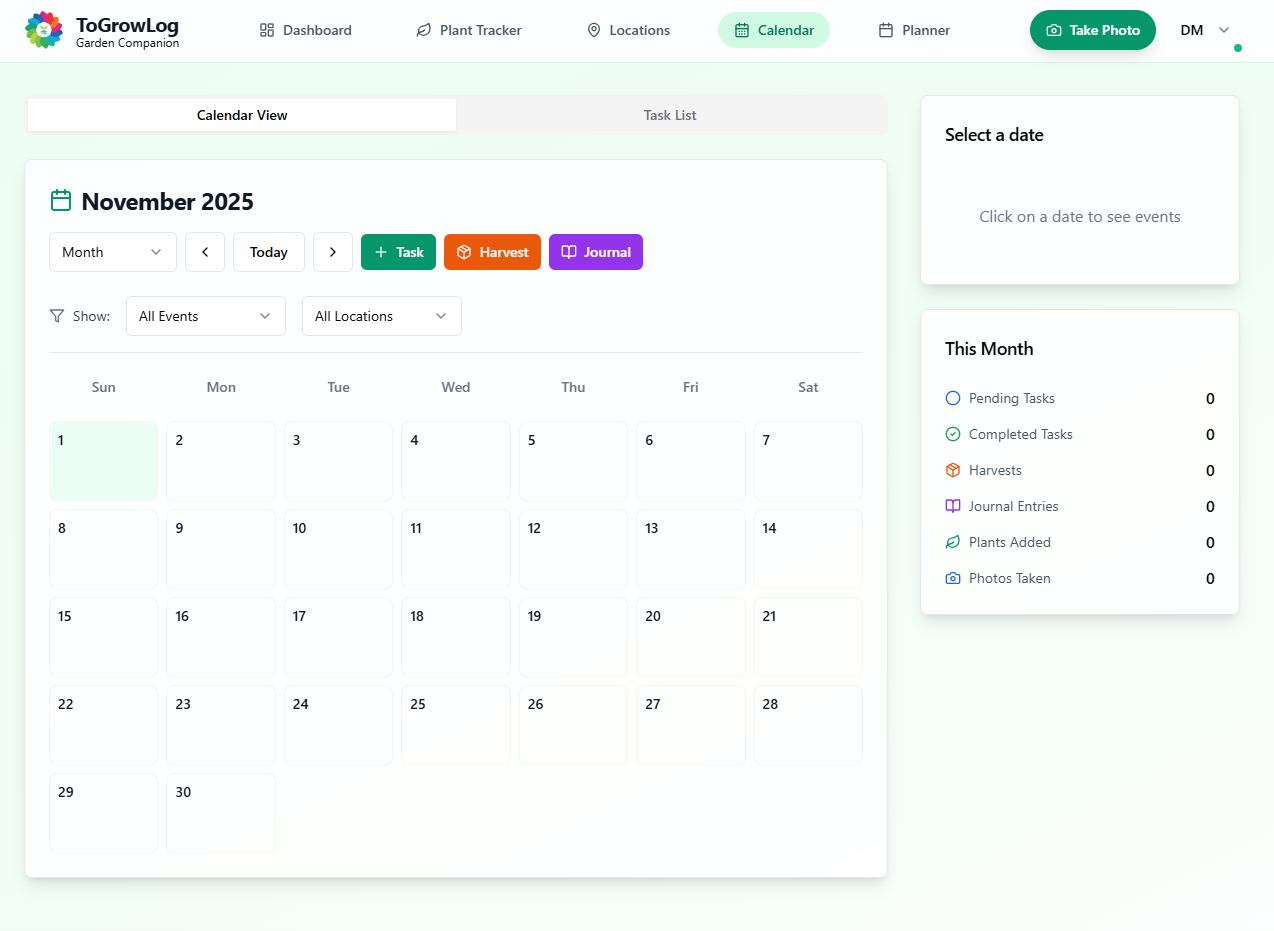
Calendar
Detailed Calendar view.
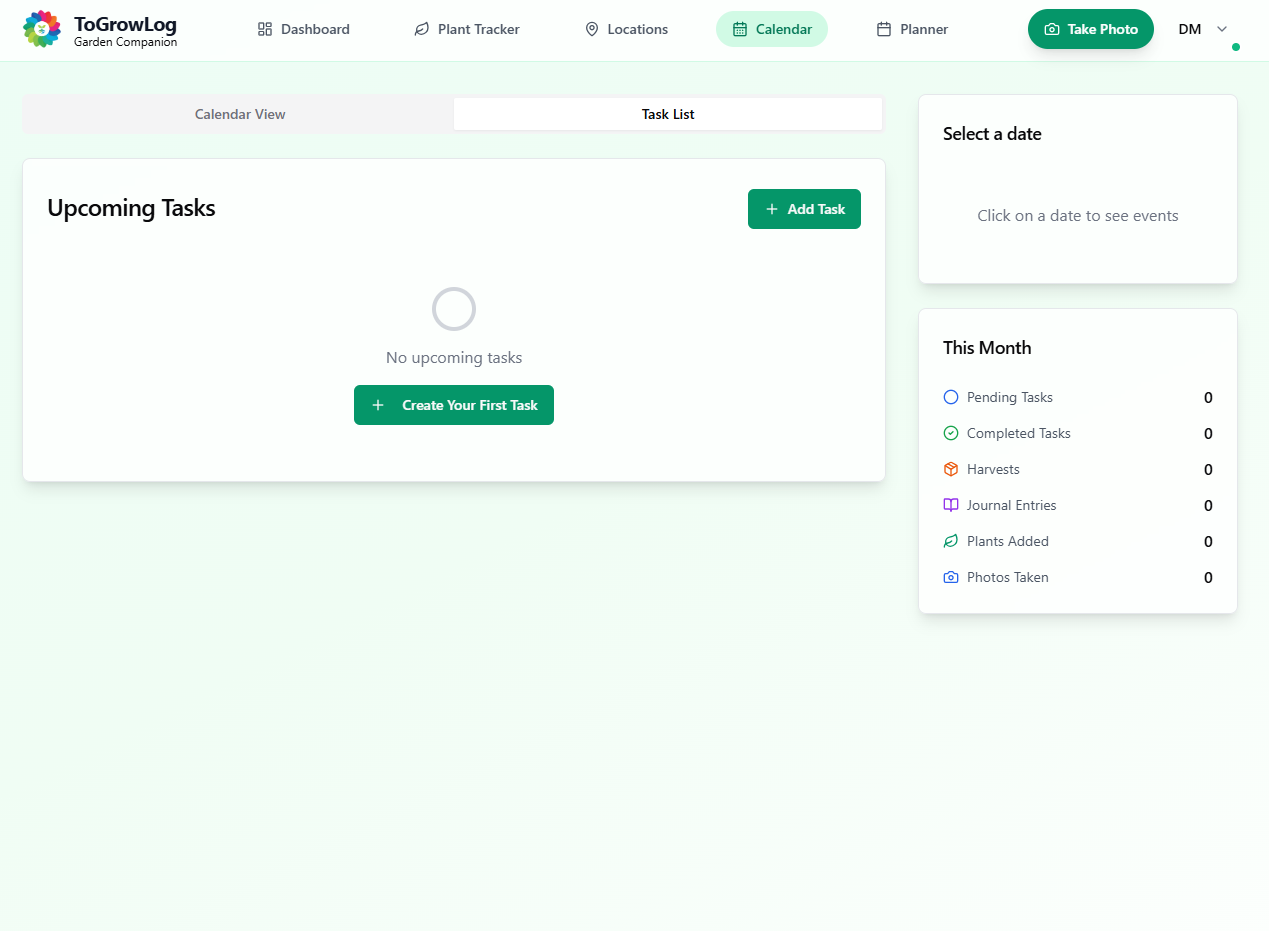
Calendar Task List View
See all your tasks in one view.
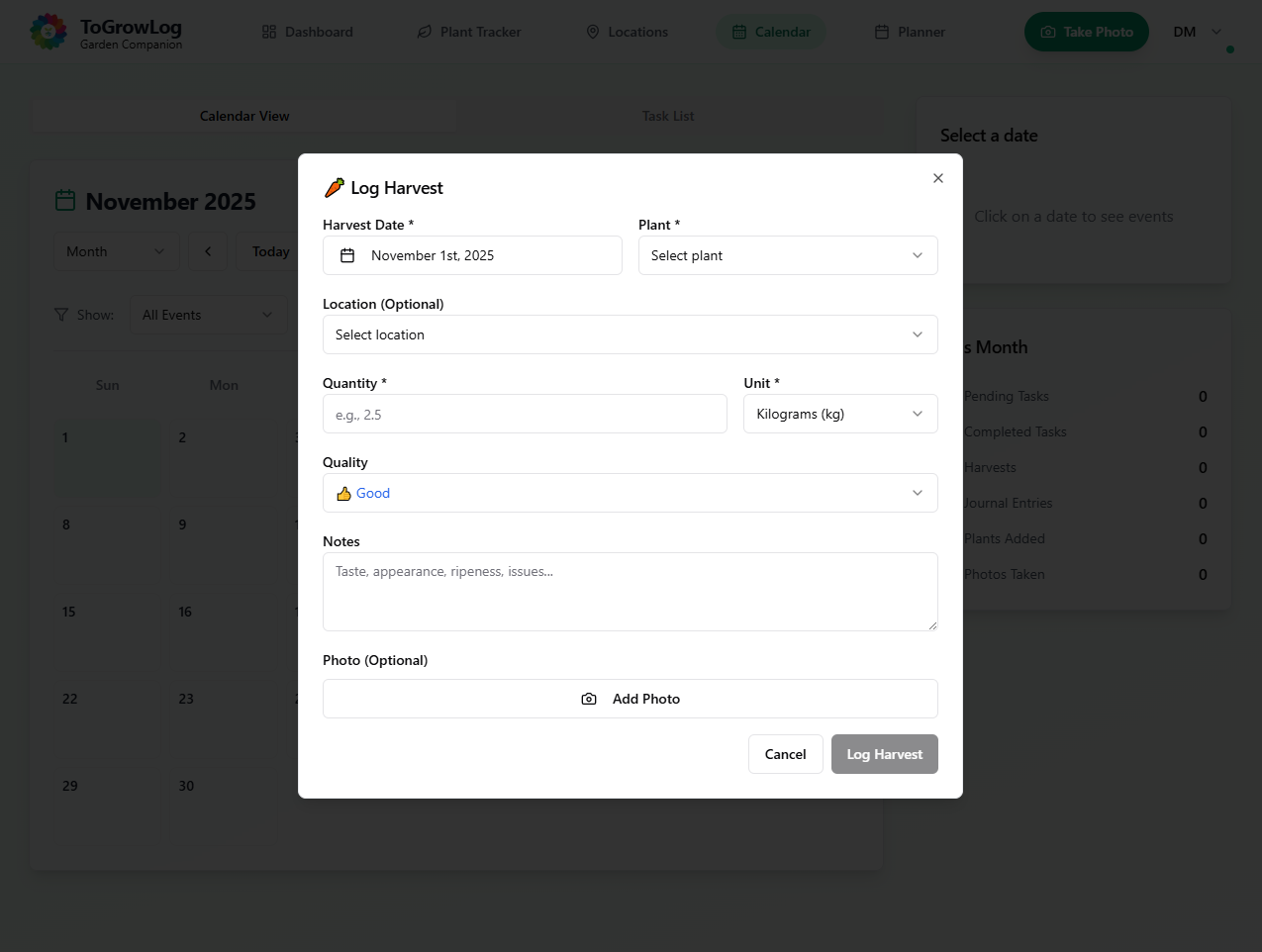
Harvest Form
Add a Harvest record.
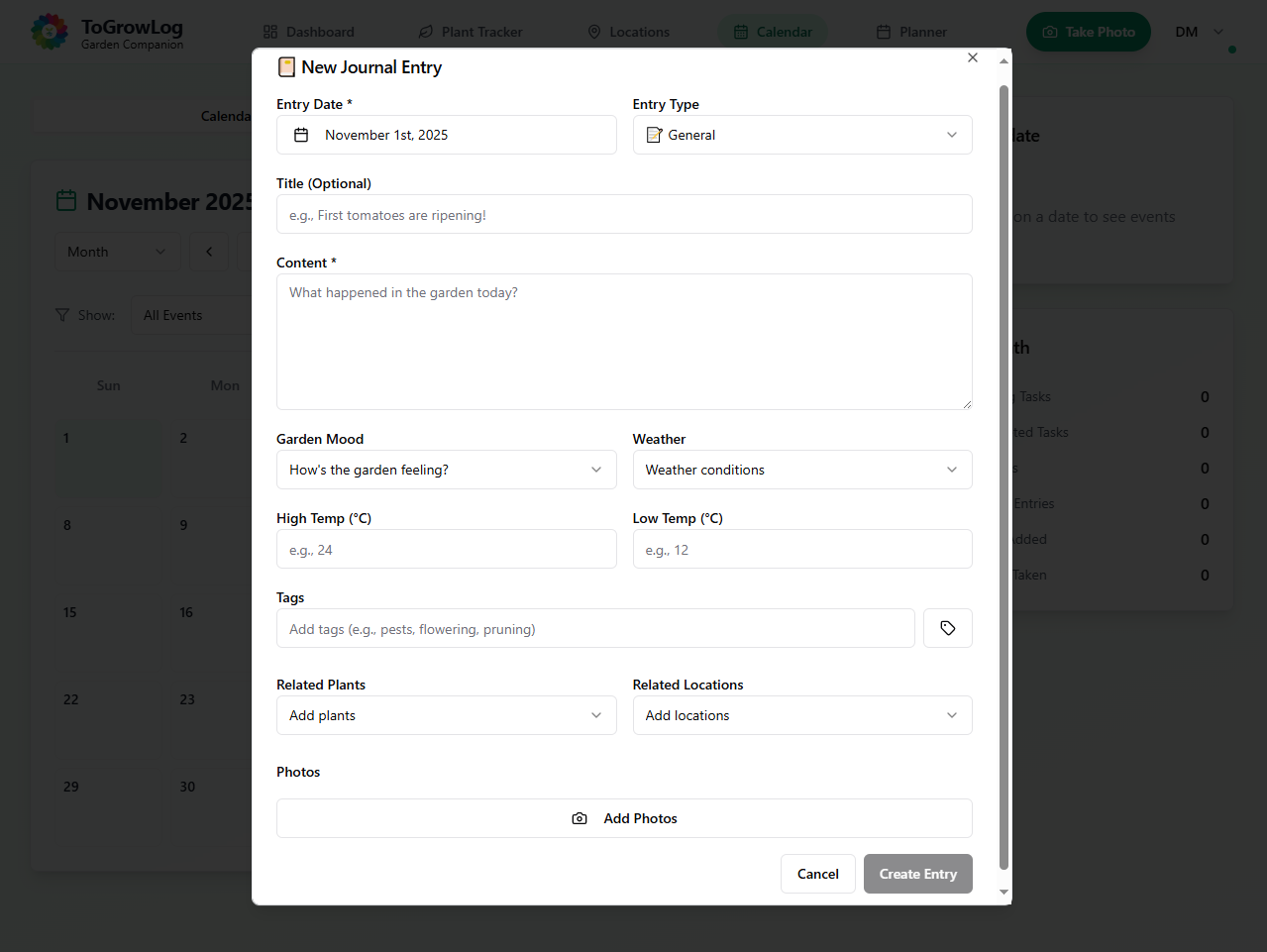
Journal Form
Add a Journal record.
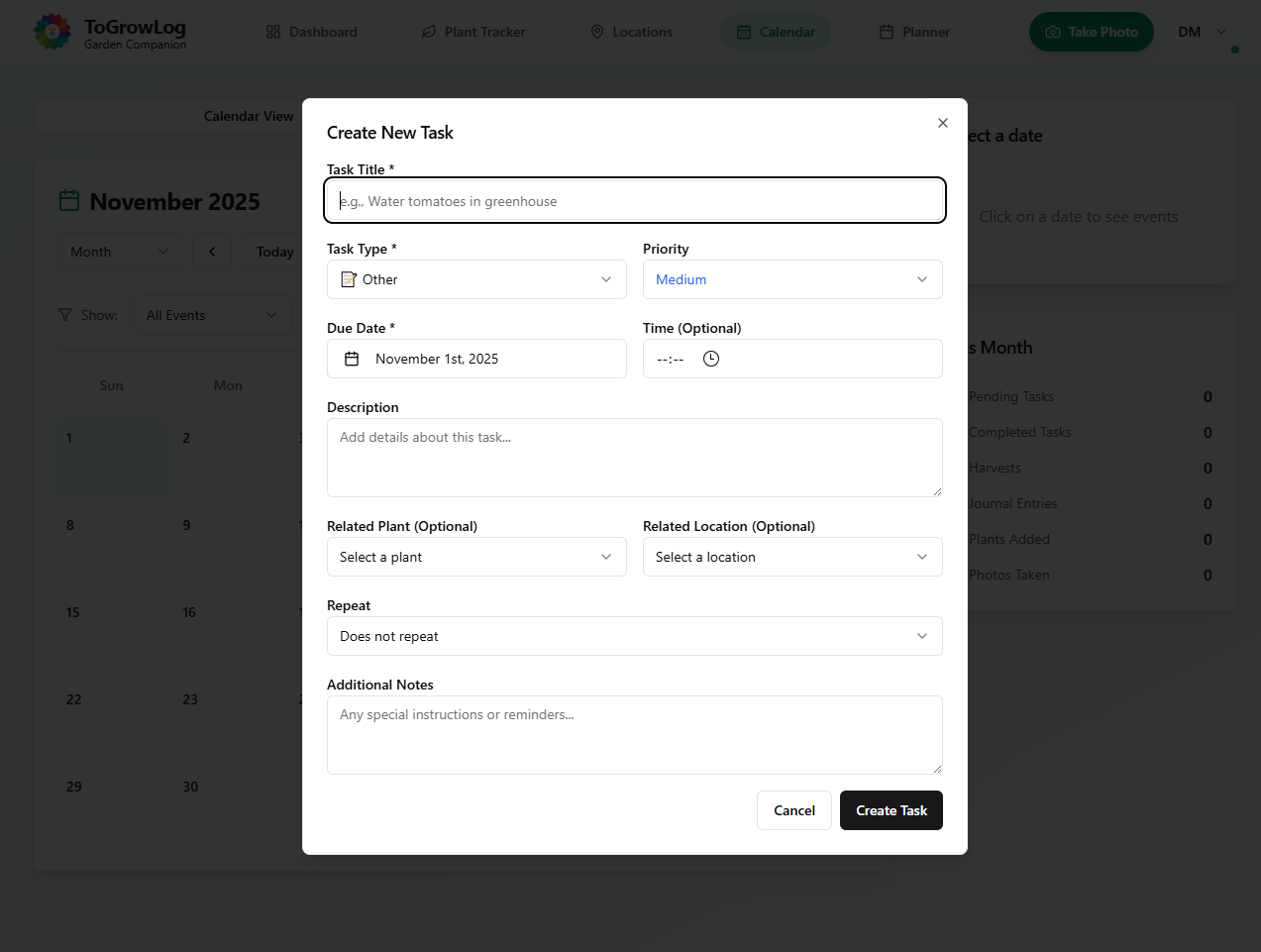
Task Form
Add a new Task.
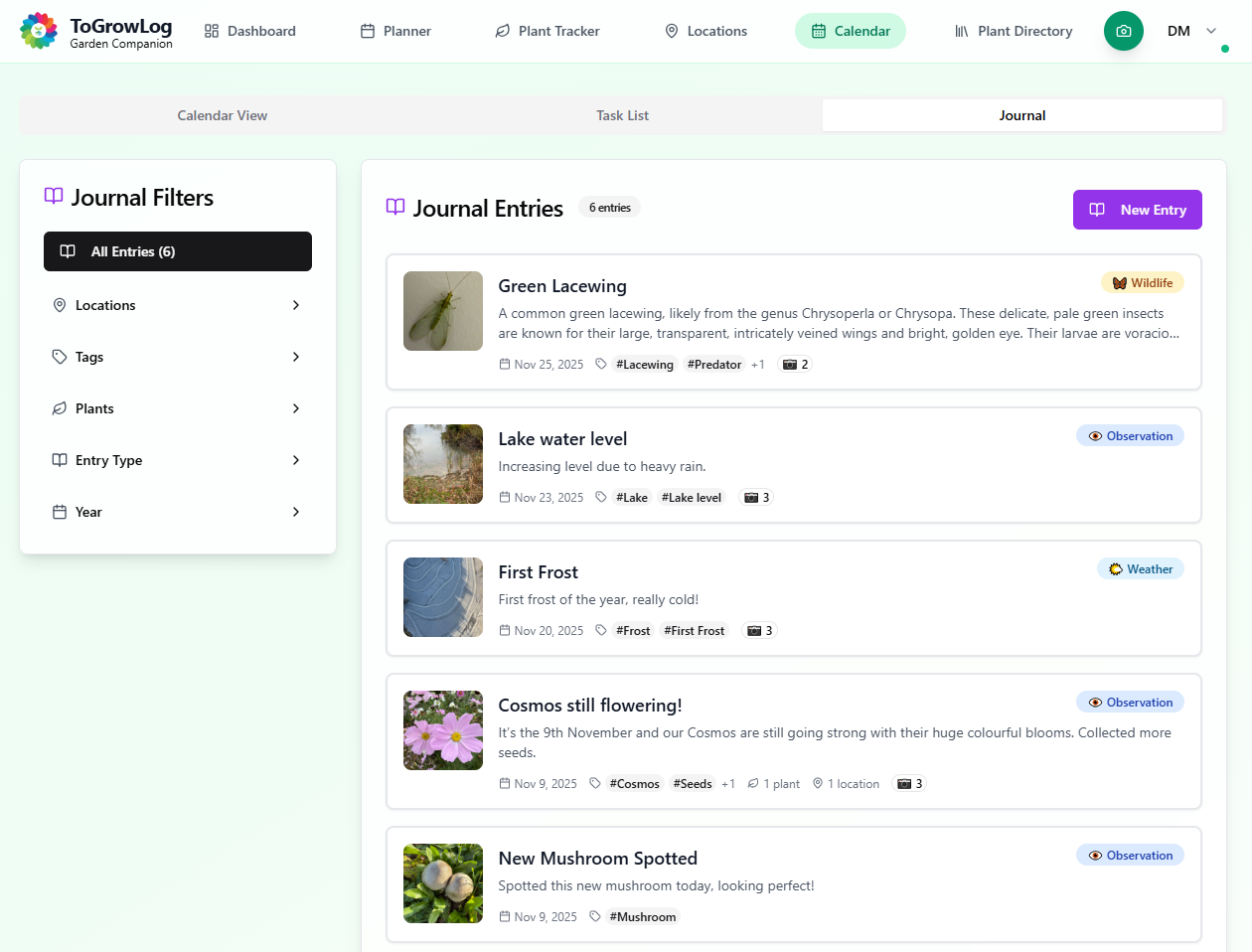
The Journal View
Go to the Journal tab on the Calendar to create great Journals entries.
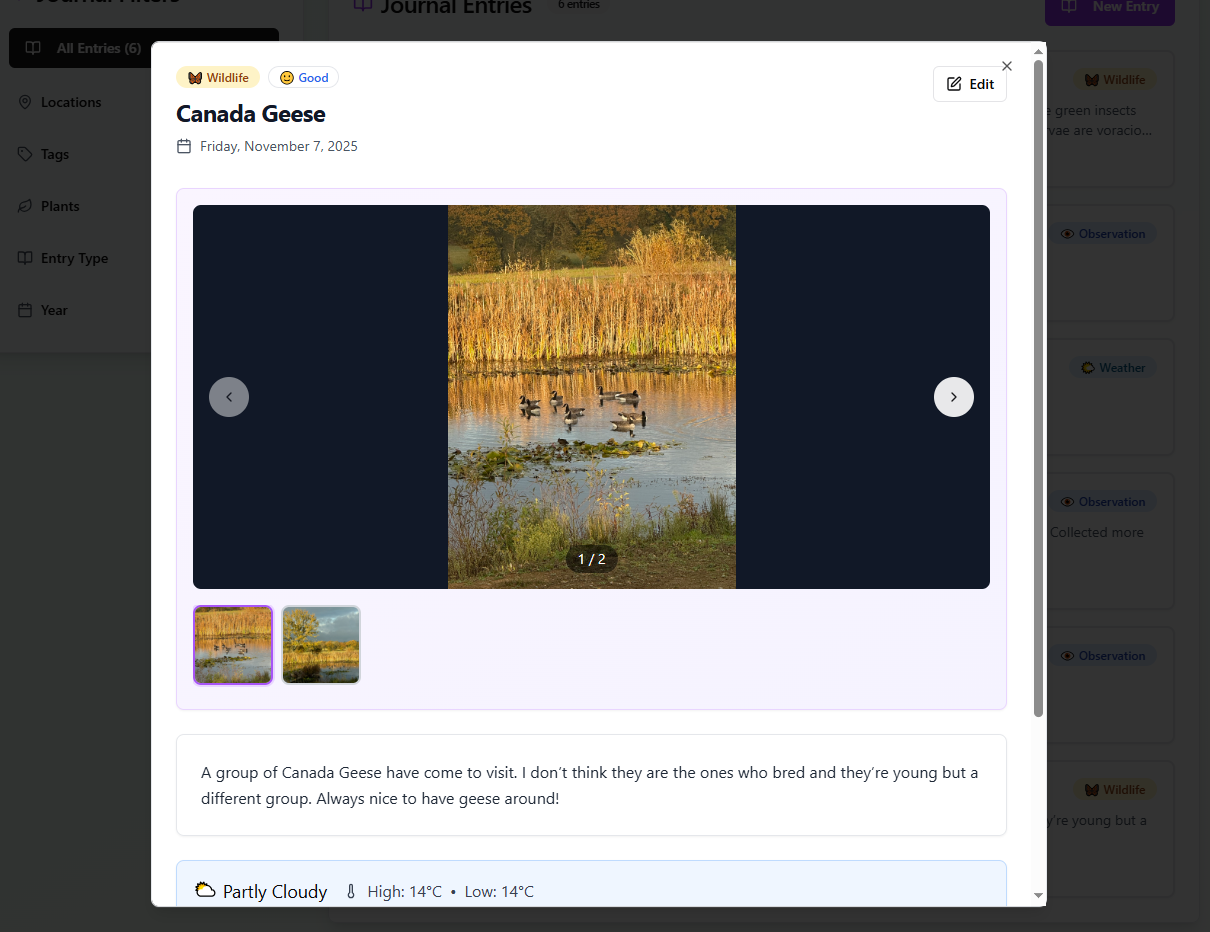
Desktop View
Viewing a journal entry on a desktop computer.